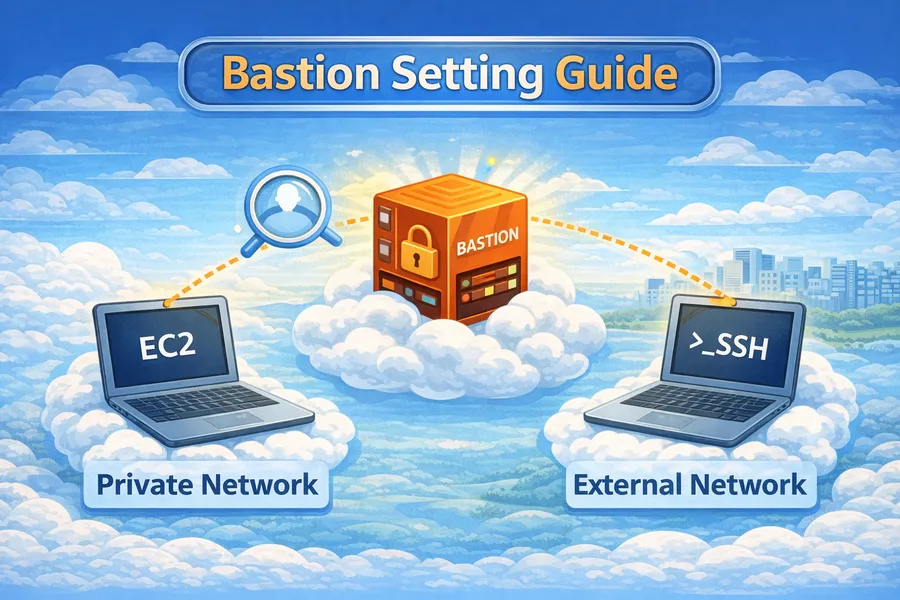
AWS Bastion Host 구축 가이드
서론
프로덕션 환경에서 EC2 인스턴스는 보안을 위해 Private Subnet 에 배치한다. 하지만 Private Subnet의 인스턴스는 인터넷에서 직접 접근할 수 없다.
이때 Bastion Host(점프 서버)를 통해 안전하게 SSH 접속할 수 있다. 이 글에서는 Bastion Host 아키텍처 설계부터 구축, 접속 방법, 보안 강화까지 다룬다.
Bastion Host란?
Bastion Host는 외부에서 내부 네트워크로 접근하기 위한 중계 서버 다. Public Subnet에 위치하여 인터넷에서 접근 가능하고, Private Subnet의 인스턴스로 SSH 연결을 중계한다.
┌────────────────────────────────────────────────────────────┐
│                        Internet                            │
│                           │                                │
│                           ▼                                │
│  ┌──────────────────────────────────────────────────────┐  │
│  │                        VPC                            │  │
│  │                                                       │  │
│  │  ┌─────────────────────────────────────────────────┐ │  │
│  │  │                 Public Subnet                    │ │  │
│  │  │                                                  │ │  │
│  │  │    ┌──────────────────┐                         │ │  │
│  │  │    │  Bastion Host    │ ◄── SSH (Port 22)       │ │  │
│  │  │    │  (Jump Server)   │     인터넷에서 접근 가능│ │  │
│  │  │    └────────┬─────────┘                         │ │  │
│  │  │             │                                    │ │  │
│  │  └─────────────┼────────────────────────────────────┘ │  │
│  │                │ SSH                                  │  │
│  │                ▼                                      │  │
│  │  ┌─────────────────────────────────────────────────┐ │  │
│  │  │                Private Subnet                    │ │  │
│  │  │                                                  │ │  │
│  │  │    ┌──────────┐  ┌──────────┐  ┌──────────┐    │ │  │
│  │  │    │   EC2    │  │   EC2    │  │   EC2    │    │ │  │
│  │  │    │   App    │  │   App    │  │   DB     │    │ │  │
│  │  │    └──────────┘  └──────────┘  └──────────┘    │ │  │
│  │  │         ▲                                       │ │  │
│  │  │         │ 인터넷에서 직접 접근 불가            │ │  │
│  │  │                                                  │ │  │
│  │  └─────────────────────────────────────────────────┘ │  │
│  │                                                       │  │
│  └──────────────────────────────────────────────────────┘  │
└────────────────────────────────────────────────────────────┘
왜 Bastion Host가 필요한가?
1. 보안 강화
   - Private 인스턴스를 인터넷에 노출하지 않음
   - 단일 진입점으로 접근 제어 용이
   - 모든 SSH 접속 로깅 가능

2. 공격 표면 최소화
   - SSH 포트가 열린 서버가 1대뿐
   - 보안 그룹으로 접근 IP 제한 가능

3. 감사 및 추적
   - 누가, 언제, 어디서 접속했는지 추적
   - CloudTrail, VPC Flow Logs와 연동
아키텍처 설계
기본 아키텍처
┌──────────────────────────────────────────────────────────────┐
│                      VPC (10.0.0.0/16)                       │
│                                                              │
│  ┌──────────────────────┐    ┌──────────────────────┐       │
│  │   Public Subnet      │    │   Public Subnet      │       │
│  │   10.0.1.0/24 (AZ-a) │    │   10.0.2.0/24 (AZ-c) │       │
│  │                      │    │                      │       │
│  │   ┌────────────┐     │    │   ┌────────────┐     │       │
│  │   │  Bastion   │     │    │   │    NAT     │     │       │
│  │   │   Host     │     │    │   │  Gateway   │     │       │
│  │   │ (t3.micro) │     │    │   │            │     │       │
│  │   └─────┬──────┘     │    │   └─────┬──────┘     │       │
│  │         │            │    │         │            │       │
│  └─────────┼────────────┘    └─────────┼────────────┘       │
│            │                           │                     │
│            │ SSH                       │ Outbound            │
│            ▼                           ▼                     │
│  ┌──────────────────────┐    ┌──────────────────────┐       │
│  │   Private Subnet     │    │   Private Subnet     │       │
│  │   10.0.11.0/24(AZ-a) │    │   10.0.12.0/24(AZ-c) │       │
│  │                      │    │                      │       │
│  │  ┌───────┐ ┌───────┐ │    │  ┌───────┐ ┌───────┐ │       │
│  │  │ EC2   │ │ EC2   │ │    │  │ EC2   │ │ EC2   │ │       │
│  │  │ App1  │ │ App2  │ │    │  │ App3  │ │ App4  │ │       │
│  │  └───────┘ └───────┘ │    │  └───────┘ └───────┘ │       │
│  └──────────────────────┘    └──────────────────────┘       │
│                                                              │
│  Internet Gateway                                            │
│  └─── Public Subnet과 연결                                   │
└──────────────────────────────────────────────────────────────┘
고가용성 아키텍처
프로덕션에서는 Bastion Host도 이중화를 고려한다.
┌──────────────────────────────────────────────────────────┐
│                          VPC                             │
│                                                          │
│  ┌─────────────────────┐    ┌─────────────────────┐     │
│  │   Public Subnet     │    │   Public Subnet     │     │
│  │   (AZ-a)            │    │   (AZ-c)            │     │
│  │                     │    │                     │     │
│  │  ┌───────────────┐  │    │  ┌───────────────┐  │     │
│  │  │  Bastion 1    │  │    │  │  Bastion 2    │  │     │
│  │  │  (Active)     │  │    │  │  (Standby)    │  │     │
│  │  └───────┬───────┘  │    │  └───────┬───────┘  │     │
│  └──────────┼──────────┘    └──────────┼──────────┘     │
│             │                          │                 │
│             └────────┬─────────────────┘                 │
│                      │                                   │
│              ┌───────▼───────┐                          │
│              │ Network Load  │                          │
│              │   Balancer    │                          │
│              │  (Optional)   │                          │
│              └───────────────┘                          │
│                                                          │
│  또는 Auto Scaling Group으로 자동 복구                  │
└──────────────────────────────────────────────────────────┘
VPC 및 네트워크 구성
1단계: VPC 생성
# VPC 생성
aws ec2 create-vpc \
  --cidr-block 10.0.0.0/16 \
  --tag-specifications 'ResourceType=vpc,Tags=[{Key=Name,Value=my-vpc}]'

# DNS 호스트 이름 활성화
aws ec2 modify-vpc-attribute \
  --vpc-id vpc-xxx \
  --enable-dns-hostnames '{"Value":true}'
2단계: 서브넷 생성
# Public Subnet (AZ-a) - Bastion Host용
aws ec2 create-subnet \
  --vpc-id vpc-xxx \
  --cidr-block 10.0.1.0/24 \
  --availability-zone ap-northeast-2a \
  --tag-specifications 'ResourceType=subnet,Tags=[{Key=Name,Value=public-subnet-a}]'

# Public Subnet (AZ-c) - NAT Gateway용
aws ec2 create-subnet \
  --vpc-id vpc-xxx \
  --cidr-block 10.0.2.0/24 \
  --availability-zone ap-northeast-2c \
  --tag-specifications 'ResourceType=subnet,Tags=[{Key=Name,Value=public-subnet-c}]'

# Private Subnet (AZ-a) - App 서버용
aws ec2 create-subnet \
  --vpc-id vpc-xxx \
  --cidr-block 10.0.11.0/24 \
  --availability-zone ap-northeast-2a \
  --tag-specifications 'ResourceType=subnet,Tags=[{Key=Name,Value=private-subnet-a}]'

# Private Subnet (AZ-c) - App 서버용
aws ec2 create-subnet \
  --vpc-id vpc-xxx \
  --cidr-block 10.0.12.0/24 \
  --availability-zone ap-northeast-2c \
  --tag-specifications 'ResourceType=subnet,Tags=[{Key=Name,Value=private-subnet-c}]'
3단계: 인터넷 게이트웨이 설정
# 인터넷 게이트웨이 생성
aws ec2 create-internet-gateway \
  --tag-specifications 'ResourceType=internet-gateway,Tags=[{Key=Name,Value=my-igw}]'

# VPC에 연결
aws ec2 attach-internet-gateway \
  --internet-gateway-id igw-xxx \
  --vpc-id vpc-xxx
4단계: 라우팅 테이블 구성
# Public 라우팅 테이블 생성
aws ec2 create-route-table \
  --vpc-id vpc-xxx \
  --tag-specifications 'ResourceType=route-table,Tags=[{Key=Name,Value=public-rt}]'

# 인터넷 게이트웨이로 라우팅 추가
aws ec2 create-route \
  --route-table-id rtb-public-xxx \
  --destination-cidr-block 0.0.0.0/0 \
  --gateway-id igw-xxx

# Public 서브넷에 라우팅 테이블 연결
aws ec2 associate-route-table \
  --route-table-id rtb-public-xxx \
  --subnet-id subnet-public-a-xxx

aws ec2 associate-route-table \
  --route-table-id rtb-public-xxx \
  --subnet-id subnet-public-c-xxx
5단계: NAT Gateway 설정 (Private 서브넷 아웃바운드용)
NAT Gateway는 Private Subnet의 인스턴스가 인터넷으로 아웃바운드 통신 할 때 사용한다.
예를 들어 패키지 업데이트(dnf update), 외부 API 호출 등이 가능해진다.
반대로 인터넷에서 Private 인스턴스로 직접 접근하는 것은 여전히 차단된다.
# Elastic IP 할당
aws ec2 allocate-address --domain vpc

# NAT Gateway 생성
aws ec2 create-nat-gateway \
  --subnet-id subnet-public-c-xxx \
  --allocation-id eipalloc-xxx \
  --tag-specifications 'ResourceType=natgateway,Tags=[{Key=Name,Value=nat-gw}]'

# Private 라우팅 테이블 생성
aws ec2 create-route-table \
  --vpc-id vpc-xxx \
  --tag-specifications 'ResourceType=route-table,Tags=[{Key=Name,Value=private-rt}]'

# NAT Gateway로 라우팅 추가
aws ec2 create-route \
  --route-table-id rtb-private-xxx \
  --destination-cidr-block 0.0.0.0/0 \
  --nat-gateway-id nat-xxx

# Private 서브넷에 라우팅 테이블 연결
aws ec2 associate-route-table \
  --route-table-id rtb-private-xxx \
  --subnet-id subnet-private-a-xxx

aws ec2 associate-route-table \
  --route-table-id rtb-private-xxx \
  --subnet-id subnet-private-c-xxx
Security Group 설정
보안 그룹은 Bastion 아키텍처의 핵심 이다. 잘못 설정하면 보안 취약점이 생기거나 접속이 불가능하다.
Bastion Host Security Group
# Bastion 보안 그룹 생성
aws ec2 create-security-group \
  --group-name bastion-sg \
  --description "Security group for Bastion Host" \
  --vpc-id vpc-xxx

# SSH 인바운드 허용 (특정 IP만!)
aws ec2 authorize-security-group-ingress \
  --group-id sg-bastion-xxx \
  --protocol tcp \
  --port 22 \
  --cidr 203.0.113.0/32  # 회사/집 IP로 변경

# 또는 여러 IP 허용
aws ec2 authorize-security-group-ingress \
  --group-id sg-bastion-xxx \
  --ip-permissions '[
    {"IpProtocol":"tcp","FromPort":22,"ToPort":22,"IpRanges":[
      {"CidrIp":"203.0.113.0/32","Description":"Office IP"},
      {"CidrIp":"198.51.100.0/32","Description":"Home IP"}
    ]}
  ]'
Private EC2 Security Group
# Private 인스턴스 보안 그룹 생성
aws ec2 create-security-group \
  --group-name private-ec2-sg \
  --description "Security group for Private EC2 instances" \
  --vpc-id vpc-xxx

# Bastion에서 오는 SSH만 허용 (보안 그룹 참조!)
aws ec2 authorize-security-group-ingress \
  --group-id sg-private-xxx \
  --protocol tcp \
  --port 22 \
  --source-group sg-bastion-xxx
Security Group 규칙 요약
┌───────────────────────────────────────────────────────────┐
│                   Security Group 설정                     │
├───────────────────────────────────────────────────────────┤
│                                                           │
│  Bastion SG (sg-bastion):                                 │
│  ┌─────────────────────────────────────────────────────┐  │
│  │ Inbound:                                            │  │
│  │   - SSH (22) from 203.0.113.0/32 (회사 IP)          │  │
│  │   - SSH (22) from 198.51.100.0/32 (집 IP)           │  │
│  │                                                     │  │
│  │ Outbound:                                           │  │
│  │   - All traffic (기본값)                            │  │
│  └─────────────────────────────────────────────────────┘  │
│                                                           │
│  Private EC2 SG (sg-private):                             │
│  ┌─────────────────────────────────────────────────────┐  │
│  │ Inbound:                                            │  │
│  │   - SSH (22) from sg-bastion (Bastion SG 참조)      │  │
│  │   - App ports from ALB SG (필요시)                  │  │
│  │                                                     │  │
│  │ Outbound:                                           │  │
│  │   - All traffic (기본값)                            │  │
│  └─────────────────────────────────────────────────────┘  │
│                                                           │
│  ⚠️  절대 금지:                                           │
│     - SSH (22) from 0.0.0.0/0                             │
│     - 모든 포트 개방                                      │
│                                                           │
└───────────────────────────────────────────────────────────┘
EC2 인스턴스 생성
SSH Key Pair 생성
# 새 키 페어 생성 (로컬에 저장)
aws ec2 create-key-pair \
  --key-name my-bastion-key \
  --query 'KeyMaterial' \
  --output text > ~/.ssh/my-bastion-key.pem

# 권한 설정 (필수!)
chmod 400 ~/.ssh/my-bastion-key.pem
Bastion Host 생성
# 최신 Amazon Linux 2023 AMI 조회
AMI_ID=$(aws ec2 describe-images \
  --owners amazon \
  --filters "Name=name,Values=al2023-ami-2023*-x86_64" \
            "Name=state,Values=available" \
  --query 'Images | sort_by(@, &CreationDate) | [-1].ImageId' \
  --output text)

echo "AMI ID: $AMI_ID"

# Bastion Host 생성
aws ec2 run-instances \
  --image-id $AMI_ID \
  --instance-type t3.micro \
  --key-name my-bastion-key \
  --security-group-ids sg-bastion-xxx \
  --subnet-id subnet-public-a-xxx \
  --associate-public-ip-address \
  --tag-specifications 'ResourceType=instance,Tags=[{Key=Name,Value=bastion-host}]' \
  --block-device-mappings '[{
    "DeviceName":"/dev/xvda",
    "Ebs":{
      "VolumeSize":8,
      "VolumeType":"gp3",
      "Encrypted":true
    }
  }]'
Private EC2 생성
# Private 인스턴스 생성 (같은 키 사용 또는 다른 키)
aws ec2 run-instances \
  --image-id $AMI_ID \
  --instance-type t3.small \
  --key-name my-bastion-key \
  --security-group-ids sg-private-xxx \
  --subnet-id subnet-private-a-xxx \
  --tag-specifications 'ResourceType=instance,Tags=[{Key=Name,Value=app-server-1}]' \
  --block-device-mappings '[{
    "DeviceName":"/dev/xvda",
    "Ebs":{
      "VolumeSize":20,
      "VolumeType":"gp3",
      "Encrypted":true
    }
  }]'
Elastic IP 할당 (Bastion용)
# Elastic IP 할당
aws ec2 allocate-address --domain vpc

# Bastion에 연결
aws ec2 associate-address \
  --instance-id i-bastion-xxx \
  --allocation-id eipalloc-xxx

# IP 확인
aws ec2 describe-addresses \
  --allocation-ids eipalloc-xxx \
  --query 'Addresses[0].PublicIp' \
  --output text
SSH 접속 방법
방법 1: 2단계 접속 (기본)
가장 기본적인 방법으로, 먼저 Bastion에 접속한 후 Private 인스턴스로 접속한다.
# 1단계: Bastion에 접속
ssh -i ~/.ssh/my-bastion-key.pem ec2-user@<BASTION_PUBLIC_IP>

# 2단계: Bastion에서 Private 인스턴스로 접속
ssh -i ~/.ssh/my-bastion-key.pem ec2-user@<PRIVATE_INSTANCE_IP>문제점: Private 키를 Bastion에 복사해야 함 → 보안 위험!
방법 2: SSH Agent Forwarding (권장)
로컬의 SSH 키를 Bastion을 통해 전달한다. 키를 Bastion에 저장하지 않아도 된다.
# 1. SSH Agent에 키 등록
ssh-add ~/.ssh/my-bastion-key.pem

# 등록 확인
ssh-add -l

# 2. Agent Forwarding으로 Bastion 접속 (-A 옵션)
ssh -A -i ~/.ssh/my-bastion-key.pem ec2-user@<BASTION_PUBLIC_IP>

# 3. Bastion에서 Private 인스턴스 접속 (키 파일 없이!)
ssh ec2-user@<PRIVATE_INSTANCE_IP>
동작 원리:
┌──────────┐    SSH + Key    ┌──────────┐    SSH (Agent)   ┌──────────┐
│  Local   │ ──────────────► │ Bastion  │ ───────────────► │ Private  │
│ Machine  │  -A 옵션으로    │          │  로컬 키가 전달   │   EC2    │
│          │  Agent 전달     │          │  (Bastion에 키   │          │
│  [Key]   │                 │ [No Key] │   저장 안됨)     │          │
└──────────┘                 └──────────┘                   └──────────┘
방법 3: SSH ProxyJump (가장 권장)
한 번의 명령으로 Bastion을 거쳐 Private 인스턴스에 직접 접속한다.
# 단일 명령으로 Private 인스턴스 접속
ssh -J ec2-user@<BASTION_PUBLIC_IP> ec2-user@<PRIVATE_INSTANCE_IP> \
    -i ~/.ssh/my-bastion-key.pem
SSH Config 설정 (더 편리하게):
# ~/.ssh/config 파일 편집
cat >> ~/.ssh/config << 'EOF'

# Bastion Host
Host bastion
    HostName <BASTION_PUBLIC_IP>
    User ec2-user
    IdentityFile ~/.ssh/my-bastion-key.pem
    ForwardAgent yes

# Private Instance (Bastion 경유)
Host app-server-1
    HostName <PRIVATE_INSTANCE_IP>
    User ec2-user
    IdentityFile ~/.ssh/my-bastion-key.pem
    ProxyJump bastion

Host app-server-2
    HostName <PRIVATE_INSTANCE_IP_2>
    User ec2-user
    IdentityFile ~/.ssh/my-bastion-key.pem
    ProxyJump bastion

# 패턴 매칭으로 모든 Private 인스턴스 설정
Host 10.0.11.* 10.0.12.*
    User ec2-user
    IdentityFile ~/.ssh/my-bastion-key.pem
    ProxyJump bastion

EOF

# 권한 설정
chmod 600 ~/.ssh/config사용법:
# 이제 간단하게 접속 가능
ssh bastion           # Bastion 접속
ssh app-server-1      # Private 인스턴스 접속 (자동으로 Bastion 경유)
ssh 10.0.11.45        # IP로도 접속 가능 (자동으로 Bastion 경유)
방법 4: SSH ProxyCommand (레거시)
ProxyJump를 지원하지 않는 구버전 SSH에서 사용한다.
# ~/.ssh/config
Host app-server-1
    HostName <PRIVATE_INSTANCE_IP>
    User ec2-user
    IdentityFile ~/.ssh/my-bastion-key.pem
    ProxyCommand ssh -W %h:%p -i ~/.ssh/my-bastion-key.pem ec2-user@<BASTION_PUBLIC_IP>
파일 전송 (SCP/SFTP)
SCP로 파일 전송:
# 로컬 → Private 인스턴스 (Bastion 경유)
scp -J ec2-user@<BASTION_IP> \
    ./local-file.txt \
    ec2-user@<PRIVATE_IP>:/home/ec2-user/

# SSH Config 설정 시
scp ./local-file.txt app-server-1:/home/ec2-user/

# Private 인스턴스 → 로컬
scp app-server-1:/var/log/app.log ./
SFTP 사용:
# SSH Config 설정 시
sftp app-server-1
Session Manager 대안 (권장)
AWS Systems Manager Session Manager는 SSH 없이 EC2에 접속할 수 있다. Bastion Host가 필요 없고, 보안이 더 강화된다.
Session Manager 장점
1. SSH 포트 (22) 개방 불필요
   → 보안 그룹에서 SSH 인바운드 규칙 제거 가능

2. SSH 키 관리 불필요
   → IAM으로 접근 제어

3. 모든 세션 CloudTrail 로깅
   → 누가, 언제, 무슨 명령을 실행했는지 추적

4. Private 인스턴스 직접 접속
   → Bastion Host 불필요 (비용 절감)

5. 웹 콘솔에서도 접속 가능
Session Manager 설정
1. IAM Role 생성 (EC2용):
# SSM 관리형 정책을 포함한 역할
aws iam create-role \
  --role-name EC2-SSM-Role \
  --assume-role-policy-document '{
    "Version": "2012-10-17",
    "Statement": [{
      "Effect": "Allow",
      "Principal": {"Service": "ec2.amazonaws.com"},
      "Action": "sts:AssumeRole"
    }]
  }'

# SSM 정책 연결
aws iam attach-role-policy \
  --role-name EC2-SSM-Role \
  --policy-arn arn:aws:iam::aws:policy/AmazonSSMManagedInstanceCore

# 인스턴스 프로파일 생성
aws iam create-instance-profile \
  --instance-profile-name EC2-SSM-Profile

aws iam add-role-to-instance-profile \
  --instance-profile-name EC2-SSM-Profile \
  --role-name EC2-SSM-Role
2. EC2에 역할 연결:
# 기존 인스턴스에 연결
aws ec2 associate-iam-instance-profile \
  --instance-id i-xxx \
  --iam-instance-profile Name=EC2-SSM-Profile
3. VPC Endpoint 생성 (Private Subnet용):
# SSM Endpoint
aws ec2 create-vpc-endpoint \
  --vpc-id vpc-xxx \
  --service-name com.amazonaws.ap-northeast-2.ssm \
  --vpc-endpoint-type Interface \
  --subnet-ids subnet-private-a-xxx subnet-private-c-xxx \
  --security-group-ids sg-endpoint-xxx

# SSM Messages Endpoint
aws ec2 create-vpc-endpoint \
  --vpc-id vpc-xxx \
  --service-name com.amazonaws.ap-northeast-2.ssmmessages \
  --vpc-endpoint-type Interface \
  --subnet-ids subnet-private-a-xxx subnet-private-c-xxx \
  --security-group-ids sg-endpoint-xxx

# EC2 Messages Endpoint
aws ec2 create-vpc-endpoint \
  --vpc-id vpc-xxx \
  --service-name com.amazonaws.ap-northeast-2.ec2messages \
  --vpc-endpoint-type Interface \
  --subnet-ids subnet-private-a-xxx subnet-private-c-xxx \
  --security-group-ids sg-endpoint-xxx
4. Session Manager로 접속:
# AWS CLI로 접속
aws ssm start-session --target i-xxx

# SSH over Session Manager (로컬 SSH 명령 사용)
# ~/.ssh/config에 추가
Host i-*
    ProxyCommand sh -c "aws ssm start-session --target %h --document-name AWS-StartSSHSession --parameters 'portNumber=%p'"
    User ec2-user
    IdentityFile ~/.ssh/my-key.pem

# 이후 일반 SSH처럼 사용
ssh i-xxx
Bastion vs Session Manager 비교
| 구분 | Bastion Host | Session Manager |
|---|---|---|
| SSH 포트 | 필요 (22) | 불필요 |
| 인증 | SSH 키 | IAM |
| 비용 | EC2 비용 | VPC Endpoint 비용 |
| 로깅 | 수동 설정 | 자동 (CloudTrail) |
| 파일 전송 | SCP/SFTP | S3 또는 포트 포워딩 |
| 설정 복잡도 | 낮음 | 중간 |
보안 강화
1. SSH 포트 변경
기본 포트 22 대신 다른 포트를 사용한다.
# Bastion에서 SSH 설정 변경
sudo vi /etc/ssh/sshd_config

# Port 변경
Port 2222

# 서비스 재시작
sudo systemctl restart sshd
보안 그룹도 변경:
# 기존 22 포트 제거
aws ec2 revoke-security-group-ingress \
  --group-id sg-bastion-xxx \
  --protocol tcp \
  --port 22 \
  --cidr 203.0.113.0/32

# 새 포트 추가
aws ec2 authorize-security-group-ingress \
  --group-id sg-bastion-xxx \
  --protocol tcp \
  --port 2222 \
  --cidr 203.0.113.0/32
2. Fail2ban 설치
SSH 브루트포스 공격을 차단한다.
# 설치
sudo dnf install -y fail2ban

# 설정
sudo cat > /etc/fail2ban/jail.local << 'EOF'
[sshd]
enabled = true
port = ssh
filter = sshd
logpath = /var/log/secure
maxretry = 3
bantime = 3600
findtime = 600
EOF

# 시작
sudo systemctl enable fail2ban
sudo systemctl start fail2ban

# 상태 확인
sudo fail2ban-client status sshd
3. SSH 설정 강화
# /etc/ssh/sshd_config 수정
sudo vi /etc/ssh/sshd_config
# 권장 설정
PermitRootLogin no # root 로그인 금지
PasswordAuthentication no # 비밀번호 인증 금지 (키만 허용)
PubkeyAuthentication yes # 공개키 인증 활성화
MaxAuthTries 3 # 최대 인증 시도 횟수
ClientAliveInterval 300 # 유휴 타임아웃 (5분)
ClientAliveCountMax 2 # 타임아웃 후 연결 종료
AllowUsers ec2-user # 특정 사용자만 허용# 설정 적용
sudo systemctl restart sshd4. 접근 IP 제한
# 보안 그룹에서 특정 IP만 허용
# 회사 VPN IP만 허용하는 것이 이상적

aws ec2 authorize-security-group-ingress \
  --group-id sg-bastion-xxx \
  --protocol tcp \
  --port 22 \
  --cidr 10.20.30.0/24  # 회사 VPN CIDR
5. MFA 적용 (Google Authenticator)
# Google Authenticator 설치
sudo dnf install -y google-authenticator

# 사용자별 설정
google-authenticator

# PAM 설정
sudo vi /etc/pam.d/sshd
# 다음 줄 추가:
# auth required pam_google_authenticator.so

# SSH 설정
sudo vi /etc/ssh/sshd_config
# 변경:
# ChallengeResponseAuthentication yes
# AuthenticationMethods publickey,keyboard-interactive

sudo systemctl restart sshd
6. CloudWatch 로그 수집
# CloudWatch Agent 설치
sudo dnf install -y amazon-cloudwatch-agent

# 설정 파일 생성
sudo cat > /opt/aws/amazon-cloudwatch-agent/etc/amazon-cloudwatch-agent.json << 'EOF'
{
  "logs": {
    "logs_collected": {
      "files": {
        "collect_list": [
          {
            "file_path": "/var/log/secure",
            "log_group_name": "/bastion/ssh",
            "log_stream_name": "{instance_id}"
          }
        ]
      }
    }
  }
}
EOF

# 에이전트 시작
sudo /opt/aws/amazon-cloudwatch-agent/bin/amazon-cloudwatch-agent-ctl \
  -a fetch-config \
  -m ec2 \
  -s \
  -c file:/opt/aws/amazon-cloudwatch-agent/etc/amazon-cloudwatch-agent.json
자동화 (Terraform)
Terraform으로 전체 Bastion 인프라를 코드화한다.
# main.tf

# VPC
resource "aws_vpc" "main" {
  cidr_block           = "10.0.0.0/16"
  enable_dns_hostnames = true
  enable_dns_support   = true

  tags = {
    Name = "main-vpc"
  }
}

# Public Subnet
resource "aws_subnet" "public" {
  vpc_id                  = aws_vpc.main.id
  cidr_block              = "10.0.1.0/24"
  availability_zone       = "ap-northeast-2a"
  map_public_ip_on_launch = true

  tags = {
    Name = "public-subnet"
  }
}

# Private Subnet
resource "aws_subnet" "private" {
  vpc_id            = aws_vpc.main.id
  cidr_block        = "10.0.11.0/24"
  availability_zone = "ap-northeast-2a"

  tags = {
    Name = "private-subnet"
  }
}

# Internet Gateway
resource "aws_internet_gateway" "main" {
  vpc_id = aws_vpc.main.id

  tags = {
    Name = "main-igw"
  }
}

# Public Route Table
resource "aws_route_table" "public" {
  vpc_id = aws_vpc.main.id

  route {
    cidr_block = "0.0.0.0/0"
    gateway_id = aws_internet_gateway.main.id
  }

  tags = {
    Name = "public-rt"
  }
}

resource "aws_route_table_association" "public" {
  subnet_id      = aws_subnet.public.id
  route_table_id = aws_route_table.public.id
}

# Bastion Security Group
resource "aws_security_group" "bastion" {
  name        = "bastion-sg"
  description = "Security group for Bastion Host"
  vpc_id      = aws_vpc.main.id

  ingress {
    description = "SSH from allowed IPs"
    from_port   = 22
    to_port     = 22
    protocol    = "tcp"
    cidr_blocks = var.allowed_ssh_cidr_blocks
  }

  egress {
    from_port   = 0
    to_port     = 0
    protocol    = "-1"
    cidr_blocks = ["0.0.0.0/0"]
  }

  tags = {
    Name = "bastion-sg"
  }
}

# Private EC2 Security Group
resource "aws_security_group" "private" {
  name        = "private-ec2-sg"
  description = "Security group for Private EC2"
  vpc_id      = aws_vpc.main.id

  ingress {
    description     = "SSH from Bastion"
    from_port       = 22
    to_port         = 22
    protocol        = "tcp"
    security_groups = [aws_security_group.bastion.id]
  }

  egress {
    from_port   = 0
    to_port     = 0
    protocol    = "-1"
    cidr_blocks = ["0.0.0.0/0"]
  }

  tags = {
    Name = "private-ec2-sg"
  }
}

# Key Pair
resource "aws_key_pair" "bastion" {
  key_name   = "bastion-key"
  public_key = file(var.public_key_path)
}

# Bastion Host
resource "aws_instance" "bastion" {
  ami                    = data.aws_ami.amazon_linux_2023.id
  instance_type          = "t3.micro"
  key_name               = aws_key_pair.bastion.key_name
  subnet_id              = aws_subnet.public.id
  vpc_security_group_ids = [aws_security_group.bastion.id]

  root_block_device {
    volume_size = 8
    volume_type = "gp3"
    encrypted   = true
  }

  tags = {
    Name = "bastion-host"
  }
}

# Elastic IP for Bastion
resource "aws_eip" "bastion" {
  instance = aws_instance.bastion.id
  domain   = "vpc"

  tags = {
    Name = "bastion-eip"
  }
}

# Private EC2
resource "aws_instance" "app" {
  ami                    = data.aws_ami.amazon_linux_2023.id
  instance_type          = "t3.small"
  key_name               = aws_key_pair.bastion.key_name
  subnet_id              = aws_subnet.private.id
  vpc_security_group_ids = [aws_security_group.private.id]

  root_block_device {
    volume_size = 20
    volume_type = "gp3"
    encrypted   = true
  }

  tags = {
    Name = "app-server"
  }
}

# Latest Amazon Linux 2023 AMI
data "aws_ami" "amazon_linux_2023" {
  most_recent = true
  owners      = ["amazon"]

  filter {
    name   = "name"
    values = ["al2023-ami-2023*-x86_64"]
  }

  filter {
    name   = "state"
    values = ["available"]
  }
}

# Variables
variable "allowed_ssh_cidr_blocks" {
  description = "CIDR blocks allowed to SSH to Bastion"
  type        = list(string)
  default     = ["0.0.0.0/0"]  # 실제 사용 시 특정 IP로 변경!
}

variable "public_key_path" {
  description = "Path to public key file"
  type        = string
  default     = "~/.ssh/id_rsa.pub"
}

# Outputs
output "bastion_public_ip" {
  value = aws_eip.bastion.public_ip
}

output "private_instance_ip" {
  value = aws_instance.app.private_ip
}

output "ssh_command" {
  value = "ssh -J ec2-user@${aws_eip.bastion.public_ip} ec2-user@${aws_instance.app.private_ip}"
}사용법:
# 초기화
terraform init

# 계획 확인
terraform plan -var="allowed_ssh_cidr_blocks=[\"203.0.113.0/32\"]"

# 적용
terraform apply -var="allowed_ssh_cidr_blocks=[\"203.0.113.0/32\"]"

# 출력된 SSH 명령어로 접속
# ssh -J ec2-user@<BASTION_IP> ec2-user@<PRIVATE_IP>
트러블슈팅
SSH 접속 안됨
# 1. 보안 그룹 확인
aws ec2 describe-security-groups --group-ids sg-bastion-xxx

# 체크리스트:
# - SSH (22) 인바운드가 내 IP를 허용하는가?
# - 내 현재 IP 확인: curl ifconfig.me

# 2. 인스턴스 상태 확인
aws ec2 describe-instance-status --instance-ids i-xxx

# 3. 네트워크 ACL 확인
aws ec2 describe-network-acls --filters "Name=vpc-id,Values=vpc-xxx"

# 4. 라우팅 테이블 확인
aws ec2 describe-route-tables --filters "Name=vpc-id,Values=vpc-xxx"

# 5. SSH verbose 모드로 디버깅
ssh -vvv -i ~/.ssh/key.pem ec2-user@<IP>
Bastion은 되는데 Private 인스턴스 안됨
# 1. Private 인스턴스 보안 그룹 확인
# - Bastion SG에서 오는 SSH가 허용되어 있는가?

# 2. Bastion에서 Private IP 연결 테스트
# Bastion에 접속 후:
ping <PRIVATE_IP>
nc -zv <PRIVATE_IP> 22

# 3. SSH Agent Forwarding 확인
ssh-add -l  # 키가 등록되어 있는지 확인
ssh -A ...  # -A 옵션 사용 확인
Permission denied (publickey)
# 1. 키 파일 권한 확인
ls -la ~/.ssh/my-key.pem
# -r-------- (400) 이어야 함

# 2. 올바른 사용자명 확인
# Amazon Linux: ec2-user
# Ubuntu: ubuntu
# RHEL: ec2-user 또는 root

# 3. 키 페어 확인
aws ec2 describe-key-pairs --key-names my-key

# 4. 인스턴스의 키 페어 확인
aws ec2 describe-instances --instance-ids i-xxx \
  --query 'Reservations[0].Instances[0].KeyName'
Connection timed out
# 1. 인스턴스가 실행 중인지 확인
aws ec2 describe-instances --instance-ids i-xxx \
  --query 'Reservations[0].Instances[0].State.Name'

# 2. 퍼블릭 IP 확인 (Bastion)
aws ec2 describe-instances --instance-ids i-xxx \
  --query 'Reservations[0].Instances[0].PublicIpAddress'

# 3. 인터넷 게이트웨이 연결 확인
aws ec2 describe-internet-gateways \
  --filters "Name=attachment.vpc-id,Values=vpc-xxx"

# 4. 라우팅 테이블에 IGW 경로 확인
aws ec2 describe-route-tables --route-table-ids rtb-xxx
체크리스트
구축 전
- VPC CIDR 설계 완료
- Public/Private 서브넷 설계 완료
- SSH 키 페어 생성
- 접근 허용 IP 목록 확보
구축 시
- VPC, 서브넷, IGW 생성
- NAT Gateway 생성 (Private 아웃바운드용)
- 라우팅 테이블 설정
- Bastion 보안 그룹 (SSH만, 특정 IP)
- Private 보안 그룹 (Bastion SG 참조)
- Bastion Host 생성
- Elastic IP 연결
- SSH 접속 테스트
보안 강화
- SSH 포트 변경 (선택)
- Fail2ban 설치
- SSH 설정 강화 (root 로그인 금지 등)
- CloudWatch 로그 수집
- MFA 적용 (선택)
운영
- 정기적 보안 패치
- 접근 로그 모니터링
- 불필요한 사용자 정리
- Session Manager 전환 검토
ALB를 통한 안전한 웹 서비스 접근
SSH 접근은 Bastion으로, HTTP/HTTPS 웹 서비스 접근 은 ALB(Application Load Balancer)를 통해 구성한다. 이렇게 하면 Private Subnet의 EC2가 인터넷에 직접 노출되지 않으면서도 웹 서비스를 제공할 수 있다.
ALB 아키텍처
┌───────────────────────────────────────────────────────────────┐
│                          Internet                             │
│                             │                                 │
│                             ▼                                 │
│  ┌─────────────────────────────────────────────────────────┐  │
│  │                         VPC                              │  │
│  │                                                          │  │
│  │  ┌────────────────────────────────────────────────────┐  │  │
│  │  │                  Public Subnet                      │  │  │
│  │  │                                                     │  │  │
│  │  │   ┌───────────────────────────────────────────┐    │  │  │
│  │  │   │       Application Load Balancer           │    │  │  │
│  │  │   │                 (ALB)                     │    │  │  │
│  │  │   │                                           │    │  │  │
│  │  │   │   HTTPS (443) ◄── 인터넷에서 접근         │    │  │  │
│  │  │   │   - SSL 종료                              │    │  │  │
│  │  │   │   - WAF 연동 가능                         │    │  │  │
│  │  │   │   - 경로 기반 라우팅                      │    │  │  │
│  │  │   └──────────────────┬────────────────────────┘    │  │  │
│  │  │                      │                              │  │  │
│  │  └──────────────────────┼──────────────────────────────┘  │  │
│  │                         │ HTTP (8080)                     │  │
│  │                         ▼                                 │  │
│  │  ┌────────────────────────────────────────────────────┐  │  │
│  │  │                  Private Subnet                     │  │  │
│  │  │                                                     │  │  │
│  │  │   ┌──────────┐   ┌──────────┐   ┌──────────┐       │  │  │
│  │  │   │   EC2    │   │   EC2    │   │   EC2    │       │  │  │
│  │  │   │  App 1   │   │  App 2   │   │  App 3   │       │  │  │
│  │  │   │ (8080)   │   │ (8080)   │   │ (8080)   │       │  │  │
│  │  │   └──────────┘   └──────────┘   └──────────┘       │  │  │
│  │  │        ▲                                            │  │  │
│  │  │        │ ALB에서만 접근 가능                        │  │  │
│  │  │        │ 인터넷 직접 접근 불가                      │  │  │
│  │  │                                                     │  │  │
│  │  └────────────────────────────────────────────────────┘  │  │
│  └─────────────────────────────────────────────────────────┘  │
└───────────────────────────────────────────────────────────────┘
ALB Security Group 설정
# ALB 보안 그룹 생성
aws ec2 create-security-group \
  --group-name alb-sg \
  --description "Security group for Application Load Balancer" \
  --vpc-id vpc-xxx

# HTTPS 인바운드 허용 (전체)
aws ec2 authorize-security-group-ingress \
  --group-id sg-alb-xxx \
  --protocol tcp \
  --port 443 \
  --cidr 0.0.0.0/0

# HTTP 인바운드 허용 (HTTPS 리다이렉트용)
aws ec2 authorize-security-group-ingress \
  --group-id sg-alb-xxx \
  --protocol tcp \
  --port 80 \
  --cidr 0.0.0.0/0
Private EC2 Security Group (ALB용)
# Private EC2 보안 그룹에 ALB에서 오는 트래픽 허용
aws ec2 authorize-security-group-ingress \
  --group-id sg-private-xxx \
  --protocol tcp \
  --port 8080 \
  --source-group sg-alb-xxx

# 기존 Bastion SSH도 유지
# - SSH (22) from sg-bastion-xxx (이미 설정됨)
Security Group 전체 구성도
┌───────────────────────────────────────────────────────────────┐
│                    Security Group 설계                        │
├───────────────────────────────────────────────────────────────┤
│                                                               │
│  ALB SG (sg-alb):                                             │
│  ┌─────────────────────────────────────────────────────────┐  │
│  │ Inbound:                                                │  │
│  │   - HTTPS (443) from 0.0.0.0/0                          │  │
│  │   - HTTP (80) from 0.0.0.0/0 (리다이렉트용)             │  │
│  │                                                         │  │
│  │ Outbound:                                               │  │
│  │   - All traffic                                         │  │
│  └─────────────────────────────────────────────────────────┘  │
│                             │                                  │
│                             ▼                                  │
│  Private EC2 SG (sg-private):                                  │
│  ┌─────────────────────────────────────────────────────────┐  │
│  │ Inbound:                                                │  │
│  │   - HTTP (8080) from sg-alb (ALB에서만!)                │  │
│  │   - SSH (22) from sg-bastion (Bastion에서만!)           │  │
│  │                                                         │  │
│  │ Outbound:                                               │  │
│  │   - All traffic                                         │  │
│  └─────────────────────────────────────────────────────────┘  │
│                                                               │
│  ✅ 장점:                                                     │
│     - EC2가 인터넷에 직접 노출 안됨                           │
│     - ALB에서 SSL 종료 → EC2는 HTTP만 처리                    │
│     - 보안 그룹 체이닝으로 접근 제어                          │
│                                                               │
└───────────────────────────────────────────────────────────────┘
ALB 생성
# 1. Target Group 생성
aws elbv2 create-target-group \
  --name my-app-tg \
  --protocol HTTP \
  --port 8080 \
  --vpc-id vpc-xxx \
  --target-type instance \
  --health-check-path /health \
  --health-check-interval-seconds 30 \
  --healthy-threshold-count 2 \
  --unhealthy-threshold-count 3

# 2. EC2 인스턴스를 Target Group에 등록
aws elbv2 register-targets \
  --target-group-arn arn:aws:elasticloadbalancing:ap-northeast-2:xxx:targetgroup/my-app-tg/xxx \
  --targets Id=i-app1-xxx Id=i-app2-xxx Id=i-app3-xxx

# 3. ALB 생성
aws elbv2 create-load-balancer \
  --name my-app-alb \
  --subnets subnet-public-a-xxx subnet-public-c-xxx \
  --security-groups sg-alb-xxx \
  --scheme internet-facing \
  --type application \
  --ip-address-type ipv4

# 4. HTTP 리스너 (HTTPS 리다이렉트)
aws elbv2 create-listener \
  --load-balancer-arn arn:aws:elasticloadbalancing:ap-northeast-2:xxx:loadbalancer/app/my-app-alb/xxx \
  --protocol HTTP \
  --port 80 \
  --default-actions '[{
    "Type": "redirect",
    "RedirectConfig": {
      "Protocol": "HTTPS",
      "Port": "443",
      "StatusCode": "HTTP_301"
    }
  }]'

# 5. HTTPS 리스너 (SSL 인증서 필요)
aws elbv2 create-listener \
  --load-balancer-arn arn:aws:elasticloadbalancing:ap-northeast-2:xxx:loadbalancer/app/my-app-alb/xxx \
  --protocol HTTPS \
  --port 443 \
  --ssl-policy ELBSecurityPolicy-TLS13-1-2-2021-06 \
  --certificates CertificateArn=arn:aws:acm:ap-northeast-2:xxx:certificate/xxx \
  --default-actions '[{
    "Type": "forward",
    "TargetGroupArn": "arn:aws:elasticloadbalancing:ap-northeast-2:xxx:targetgroup/my-app-tg/xxx"
  }]'
SSL 인증서 설정 (ACM)
# ACM에서 인증서 요청
aws acm request-certificate \
  --domain-name "*.example.com" \
  --validation-method DNS \
  --subject-alternative-names "example.com"

# DNS 검증 레코드 확인
aws acm describe-certificate \
  --certificate-arn arn:aws:acm:ap-northeast-2:xxx:certificate/xxx \
  --query 'Certificate.DomainValidationOptions'

# Route 53에 DNS 검증 레코드 추가 후 인증서 발급됨
경로 기반 라우팅 (Path-based Routing)
여러 서비스를 하나의 ALB로 라우팅한다.
# 각 서비스별 Target Group 생성
# - /api/* → API 서버
# - /admin/* → Admin 서버
# - /* → Web 서버

# API Target Group
aws elbv2 create-target-group \
  --name api-tg \
  --protocol HTTP \
  --port 8080 \
  --vpc-id vpc-xxx

# Admin Target Group
aws elbv2 create-target-group \
  --name admin-tg \
  --protocol HTTP \
  --port 8080 \
  --vpc-id vpc-xxx

# 리스너 규칙 추가
aws elbv2 create-rule \
  --listener-arn arn:aws:elasticloadbalancing:...:listener/app/my-alb/.../... \
  --priority 10 \
  --conditions '[{
    "Field": "path-pattern",
    "Values": ["/api/*"]
  }]' \
  --actions '[{
    "Type": "forward",
    "TargetGroupArn": "arn:aws:elasticloadbalancing:...:targetgroup/api-tg/..."
  }]'

aws elbv2 create-rule \
  --listener-arn arn:aws:elasticloadbalancing:...:listener/app/my-alb/.../... \
  --priority 20 \
  --conditions '[{
    "Field": "path-pattern",
    "Values": ["/admin/*"]
  }]' \
  --actions '[{
    "Type": "forward",
    "TargetGroupArn": "arn:aws:elasticloadbalancing:...:targetgroup/admin-tg/..."
  }]'
호스트 기반 라우팅 (Host-based Routing)
여러 도메인을 하나의 ALB로 처리한다.
# api.example.com → API 서버
aws elbv2 create-rule \
  --listener-arn arn:aws:elasticloadbalancing:...:listener/... \
  --priority 5 \
  --conditions '[{
    "Field": "host-header",
    "Values": ["api.example.com"]
  }]' \
  --actions '[{
    "Type": "forward",
    "TargetGroupArn": "arn:aws:elasticloadbalancing:...:targetgroup/api-tg/..."
  }]'

# admin.example.com → Admin 서버
aws elbv2 create-rule \
  --listener-arn arn:aws:elasticloadbalancing:...:listener/... \
  --priority 6 \
  --conditions '[{
    "Field": "host-header",
    "Values": ["admin.example.com"]
  }]' \
  --actions '[{
    "Type": "forward",
    "TargetGroupArn": "arn:aws:elasticloadbalancing:...:targetgroup/admin-tg/..."
  }]'
ALB + Auto Scaling 연동
# Auto Scaling Group 생성 시 Target Group 연결
aws autoscaling create-auto-scaling-group \
  --auto-scaling-group-name my-app-asg \
  --launch-template LaunchTemplateId=lt-xxx,Version='$Latest' \
  --min-size 2 \
  --max-size 10 \
  --desired-capacity 3 \
  --vpc-zone-identifier "subnet-private-a-xxx,subnet-private-c-xxx" \
  --target-group-arns "arn:aws:elasticloadbalancing:...:targetgroup/my-app-tg/..." \
  --health-check-type ELB \
  --health-check-grace-period 300
ALB 보안 강화
1. WAF (Web Application Firewall) 연동:
# WAF Web ACL 생성 후 ALB에 연결
aws wafv2 associate-web-acl \
  --web-acl-arn arn:aws:wafv2:ap-northeast-2:xxx:regional/webacl/my-waf/xxx \
  --resource-arn arn:aws:elasticloadbalancing:ap-northeast-2:xxx:loadbalancer/app/my-alb/xxx
2. 접근 로그 활성화:
# S3 버킷에 ALB 로그 저장
aws elbv2 modify-load-balancer-attributes \
  --load-balancer-arn arn:aws:elasticloadbalancing:...:loadbalancer/app/my-alb/... \
  --attributes '[
    {"Key":"access_logs.s3.enabled","Value":"true"},
    {"Key":"access_logs.s3.bucket","Value":"my-alb-logs-bucket"},
    {"Key":"access_logs.s3.prefix","Value":"alb-logs"}
  ]'
3. 최신 TLS 정책 사용:
# TLS 1.3 지원 정책
--ssl-policy ELBSecurityPolicy-TLS13-1-2-2021-06
ALB 비용 최적화
ALB 비용 구성:
1. 시간당 요금: ~$0.0225/시간
2. LCU (Load Balancer Capacity Units): 사용량에 따라

LCU 계산 요소:
- 새 연결 수
- 활성 연결 수
- 처리 바이트
- 규칙 평가 수

비용 절감 팁:
- 개발 환경은 ALB 대신 NLB 또는 인스턴스 직접 접근 고려
- 불필요한 리스너 규칙 정리
- 유휴 ALB 삭제
전체 아키텍처 요약
┌───────────────────────────────────────────────────────────────┐
│                    전체 접근 아키텍처                         │
├───────────────────────────────────────────────────────────────┤
│                                                               │
│  웹 서비스 접근 (HTTP/HTTPS):                                 │
│  ┌─────────────────────────────────────────────────────────┐  │
│  │  User → ALB (443) → Private EC2 (8080)                  │  │
│  │                                                         │  │
│  │  - SSL 종료: ALB에서 처리                               │  │
│  │  - WAF로 공격 차단                                      │  │
│  │  - Auto Scaling으로 확장                                │  │
│  └─────────────────────────────────────────────────────────┘  │
│                                                               │
│  서버 관리 접근 (SSH):                                        │
│  ┌─────────────────────────────────────────────────────────┐  │
│  │  Admin → Bastion (22) → Private EC2 (22)                │  │
│  │                                                         │  │
│  │  - SSH Agent Forwarding                                 │  │
│  │  - 특정 IP만 허용                                       │  │
│  │  - 또는 Session Manager 사용                            │  │
│  └─────────────────────────────────────────────────────────┘  │
│                                                               │
│  보안 원칙:                                                   │
│  ✅ Private EC2는 인터넷에 직접 노출 안됨                     │
│  ✅ 모든 접근은 ALB 또는 Bastion을 통해서만                   │
│  ✅ 보안 그룹 체이닝으로 최소 권한 적용                       │
│                                                               │
└───────────────────────────────────────────────────────────────┘
결론
Private Subnet의 EC2에 안전하게 접근하는 방법은 용도에 따라 다르다.
SSH 관리 접근 → Bastion Host 또는 Session Manager 웹 서비스 접근 → ALB
핵심 포인트:
- 네트워크 설계: App EC2는 Private Subnet에, ALB/Bastion은 Public Subnet에 배치
- 보안 그룹 체이닝: EC2는 ALB SG와 Bastion SG에서만 접근 허용
- SSH 관리: Agent Forwarding/ProxyJump로 키를 Bastion에 저장하지 않음
- 웹 서비스: ALB에서 SSL 종료, WAF로 공격 차단
- Session Manager: SSH 포트 없이 IAM 기반 접근 (Bastion 대안)
- 보안 강화: 로깅, MFA, Fail2ban, 접근 IP 제한