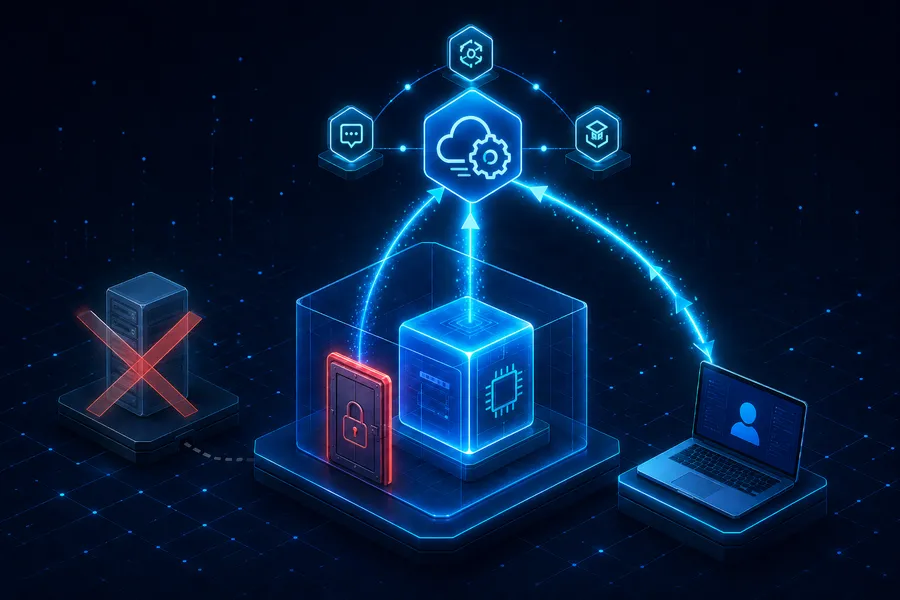
AWS Private EC2 Operations Guide Part 3: Connecting Without Bastion via SSM Session Manager — IAM Role, VPC Endpoint, and Port Forwarding
Introduction
The Private EC2 we built in Part 2 has no public IP. That means you cannot SSH into it directly. The traditional answer is a Bastion (jump host) — drop one EC2 into a Public Subnet, open port 22, and SSH from there to the Private EC2.
This series rejects that answer. We will land a shell, run commands, and even port-forward to RDS — without ever opening port 22. The answer is SSM Session Manager.
- Part 1 — Why Private Subnet?
- Part 2 — Building VPC infrastructure with Terraform
- Part 3 — Connecting without Bastion via SSM Session Manager (this post)
- Part 4 — CI/CD pipeline with GitHub Actions + SSM/CodeDeploy
- Part 5 — Cost analysis and optimization strategies
This post targets juniors who have run a Bastion once or twice and gotten tired of key rotation, audit gaps, and the exposure risk. After reading, you should be able to answer two things: “why does SSM work this way?” and “is it worth swapping NAT for VPC Endpoints in my environment?”
TL;DR
- AWS Systems Manager is a reverse tunnel. The Systems Manager Agent on EC2 polls the AWS API outbound on 443 — that’s the actual reason no inbound port 22 is required.
- You need three things: ① the Systems Manager Agent (preinstalled on AL2023) ② an
AmazonSSMManagedInstanceCoreIAM Role (already attached in Part 2) ③ a network path to the Systems Manager endpoints (NAT Gateway, or a VPC Endpoint). - Two network options: the NAT Gateway (free if you already have one) vs three Interface VPC Endpoints (
ssm,ssmmessages,ec2messages). Reuse the NAT Gateway if it exists; switch to Endpoints when you want EC2 truly off the internet. - Two flavors of Port Forwarding: to the instance’s own port (
AWS-StartPortForwardingSession), or beyond it to a remote host (AWS-StartPortForwardingSessionToRemoteHost). The latter is the de facto standard for reaching RDS / ElastiCache. - What you gain over Bastion: SSH keys, port 22, the jump-host EC2 itself, and the key-rotation drudgery all disappear at once — and every session is automatically audited per IAM user.
1. Why Drop the Bastion
1.1 The five operational costs of a Bastion
| Burden | What it actually looks like |
|---|---|
| Port 22 exposed | 0.0.0.0/0:22 (or a corporate range) on a Public-Subnet Bastion. First-class scanning and brute-force target |
| Key management | Refresh authorized_keys on every join/leave, rotation policy, re-issue on loss — without automation it just festers |
| Instance cost & HA | The Bastion is itself an EC2 + EIP. For availability you need one per AZ behind an ALB or in an ASG |
| Audit gaps | ”Who did what when” depends on the Bastion’s shell history — operators can edit it themselves |
| The jump host is the target | Compromise the Bastion and you’re inside Private. One leaked key equals total breach |
1.2 How SSM rewrites the question
SSM collapses all five into one sentence — it inverts the connection from inbound to outbound. The EC2 connects out to the AWS API first; the operator hooks into that session through the same API. No port 22, no keys, no Bastion EC2.
flowchart LR
    User1[Operator] -->|SSH 22| Bastion[Bastion EC2<br/>Public Subnet]
    Bastion -->|SSH 22| EC2A[Private EC2]
    User2[Operator] -->|aws ssm start-session| API[AWS Systems Manager API]
    AgentB[SSM Agent<br/>Private EC2] -->|outbound 443| API
    API -. WebSocket relay .- AgentB
The top half is the Bastion model, the bottom half SSM. The difference is where the arrows start.
2. How SSM Session Manager Works
2.1 The core flow — the agent polls AWS
The SSM Agent (amazon-ssm-agent) running on the EC2 keeps a persistent outbound HTTPS (443) connection to the AWS Systems Manager API from boot. When you call aws ssm start-session, the API bridges a bidirectional stream over that already-open channel.
sequenceDiagram
    participant U as Operator (IAM User)
    participant API as AWS SSM API
    participant Agent as SSM Agent (EC2)
    Agent->>API: 1. Register on boot (443 outbound)
    Agent->>API: 2. Long-poll (443 outbound, sustained)
    U->>API: 3. start-session(target=i-xxx)
    API-->>Agent: 4. Session request over existing channel
    Agent->>API: 5. Upgrade to WebSocket (443)
    API-->>U: 6. Hand WebSocket off to the user
    Note over U,Agent: Keystrokes/output now flow over the WebSocket
Two takeaways:
- All traffic is outbound from EC2’s point of view. The SG needs no inbound 22.
- The user never connects to the EC2 directly. The AWS API sits in the middle — which is exactly why IAM permissions and CloudTrail audit happen automatically.
2.2 The three components involved
| Component | Role | Location |
|---|---|---|
| SSM Agent | Polls and handles sessions | Inside the EC2 (amazon-ssm-agent daemon) |
| SSM Service | Routes messages, relays sessions, audits | AWS-managed (per region) |
| Session Manager Plugin | WebSocket I/O on the operator’s side | Operator’s laptop |
A session needs all three. Most troubleshooting collapses to “which of the three failed.”
2.3 Aside: why no inbound port 22 is needed
SSH has the client knock on the server’s port 22 directly, so the server must allow inbound 22. SSM flips it — the EC2 becomes the client and knocks on the AWS API’s port 443. From the API’s perspective, the EC2 and the operator’s laptop are both just “API callers.”
It’s the same model as corporate Slack or Google Meet punching through a corporate firewall. The corporate network has no inbound ports open from the outside, but outbound 443 is allowed. Two-way messaging happens over that. SSM is the same idea.
3. The Three Prerequisites for a Session
3.1 The SSM Agent
Recent AMIs of Amazon Linux 2, Amazon Linux 2023, Ubuntu 18.04+, and Windows Server ship with the SSM Agent preinstalled. The AL2023 EC2 from Part 2 is good as-is. To check:
# from inside the EC2
systemctl status amazon-ssm-agent
It should be active (running). If you use a custom golden AMI that drops the agent, add dnf install -y amazon-ssm-agent && systemctl enable --now amazon-ssm-agent to your user_data.
3.2 The IAM Role
For the EC2 to call the AWS API, it needs credentials. The right answer is an IAM Role attached via the EC2 instance profile — already done in Part 2 §6.1.
resource "aws_iam_role_policy_attachment" "ec2_ssm" {
  role       = aws_iam_role.ec2_ssm.name
  policy_arn = "arn:aws:iam::aws:policy/AmazonSSMManagedInstanceCore"
}
This managed policy contains the minimum set the agent needs (API calls, message exchange, KMS decrypt). You can write a tighter custom policy later, but the managed policy is the right call while you’re learning.
Note: “How does an EC2 receive an IAM Role?” The answer is an Instance Metadata Service (IMDS) call. From inside the EC2,
curl http://169.254.169.254/latest/meta-data/iam/infoshows the attached role. The SSM Agent picks up its credentials the same way at boot.
3.3 The network path
This is the part most people get stuck on. The agent must reach three endpoints when polling:
ssm.<region>.amazonaws.com— command metadata APIssmmessages.<region>.amazonaws.com— Session Manager bidirectional channelec2messages.<region>.amazonaws.com— Run Command messaging
There are two ways to get there — via NAT Gateway out to the internet, or via Interface VPC Endpoints staying inside the VPC. Picking which is the central decision in §4.
3.4 The client — Session Manager Plugin
The operator’s laptop needs the Session Manager Plugin on top of the AWS CLI. The CLI only knows how to call APIs; the plugin handles the WebSocket where keystrokes flow.
# macOS
brew install --cask session-manager-plugin

# verify
session-manager-plugin --version
Without the plugin, aws ssm start-session returns SessionManagerPlugin is not found.
4. NAT Gateway vs VPC Endpoint — How to Choose
4.1 The two paths
flowchart LR
    subgraph NATPath["Path A — NAT Gateway"]
        E1[Private EC2] --> NAT1[NAT GW] --> IGW1[IGW] --> SSM1[(SSM API<br/>public)]
    end
    subgraph EpPath["Path B — Interface VPC Endpoint"]
        E2[Private EC2] --> EP[Interface Endpoint<br/>ENI in subnet] --> SSM2[(SSM API<br/>PrivateLink)]
end| Item | NAT Gateway | Interface VPC Endpoint |
|---|---|---|
| Traffic path | Public internet | AWS PrivateLink (private) |
| Extra EC2 permissions | None (works out of the box) | None |
| Extra resources | 0 (reused) | 3 endpoints + ENIs |
| Hourly cost | ~$0.045/AZ + data | ~$0.01/AZ × endpoint + data |
| Internet package downloads | Possible (dnf update etc.) | Not possible (need a separate NAT or mirror) |
| Compliance | Traffic exits and re-enters | Stays inside the VPC |
4.2 The actual numbers
Seoul region (2026):
- 1 NAT Gateway: ~$32/month ($0.045/hour) + data processing
- 2 NAT Gateways (2-AZ HA, the Part 2 layout): ~$64/month
- 3 Interface VPC Endpoints × 2 AZs: 3 × 2 × $0.01 × 720h ≈ ~$43/month + data
On paper a single NAT is cheaper. But if you already run two NATs (Part 2), routing SSM traffic through them costs zero extra. Adding Endpoints on top means you pay for both.
4.3 Decision criteria
| Situation | Recommendation |
|---|---|
| Learning / dev / staging, NAT already present | NAT path — zero extra work |
| Production, NAT already needed for outbound API calls | NAT path — most cost-efficient |
| Hardening: cut Private EC2 off the internet | VPC Endpoint + remove NAT — only SSM is reachable |
| Compliance (PCI, ISMS-P, finance) | VPC Endpoint — keeping traffic inside AWS is an explicit requirement |
| Air-gapped / no-internet VPC | VPC Endpoint, no alternative |
This series uses the first option — NAT path. SSM works on the Part 2 setup as-is. The endpoint code in §4.4 is reference material for “how do I add this when I need it.”
4.4 Aside: Terraform to add Interface VPC Endpoints
To turn off NAT and run SSM-only:
resource "aws_security_group" "vpc_endpoints" {
  name        = "private-ec2-vpce-sg"
  description = "Allow 443 from VPC CIDR to interface endpoints"
  vpc_id      = aws_vpc.main.id

  ingress {
    description = "HTTPS from VPC"
    from_port   = 443
    to_port     = 443
    protocol    = "tcp"
    cidr_blocks = [aws_vpc.main.cidr_block]
  }

  egress {
    from_port   = 0
    to_port     = 0
    protocol    = "-1"
    cidr_blocks = ["0.0.0.0/0"]
  }
}

locals {
  ssm_endpoints = ["ssm", "ssmmessages", "ec2messages"]
}

resource "aws_vpc_endpoint" "ssm" {
  for_each            = toset(local.ssm_endpoints)
  vpc_id              = aws_vpc.main.id
  service_name        = "com.amazonaws.ap-northeast-2.${each.key}"
  vpc_endpoint_type   = "Interface"
  subnet_ids          = [aws_subnet.private_a.id, aws_subnet.private_c.id]
  security_group_ids  = [aws_security_group.vpc_endpoints.id]
  private_dns_enabled = true
}
private_dns_enabled = true is the magic. With it, ssm.ap-northeast-2.amazonaws.com resolves automatically to the endpoint’s private IP from inside the EC2 — the SSM Agent keeps working with no code changes. Setting enable_dns_hostnames = true on the VPC back in Part 2 pays off here.
4.5 Aside: in practice you usually run both
The table in §4.3 reads like an either/or, but once you move past the learning phase into container-based operations, the default becomes running NAT and VPC Endpoints side by side. The reason is that outbound traffic naturally splits into two kinds.
| Traffic | Path | Why |
|---|---|---|
| AWS service APIs (ECR, S3, Logs, Secrets Manager, …) | VPC Endpoint | Cheaper, never touches the internet, better compliance posture |
| External APIs (Stripe, Slack, OpenAI, …) | NAT Gateway | No Endpoint exists — there’s no alternative |
OS / language packages (dnf update, pip install, …) | NAT Gateway | External mirrors require internet egress |
Routing splits automatically. An S3 Gateway Endpoint adds the S3 prefix list to the route table; Interface Endpoints replace public DNS answers with private IPs. Everything else (0.0.0.0/0) still flows through NAT. Application code keeps using the SDK exactly as before.
Key point: it’s not “Endpoint replaces NAT” — it’s “Endpoint absorbs NAT’s traffic bill”. Container image pulls (ECR), log shipping (CloudWatch Logs), and secret fetches (Secrets Manager) — most operational traffic moves to the Endpoint side, and NAT data-processing charges drop sharply. The savings strategy in Part 5 §2 leans on this exact principle.
This split fits container / k8s workloads especially well, because build time and runtime are already separated.
- Build time: in CI (GitHub Actions, etc., where internet is available) you
dnf install/pip installeverything into the image, then push to ECR. - Runtime: EKS/ECS nodes in the private subnet pull images via the ECR Endpoint, ship logs via the CloudWatch Logs Endpoint, and fetch secrets via the Secrets Manager Endpoint.
The runtime barely needs the internet at all — packages are already baked into the image. This is precisely where the “VPC Endpoint can’t download packages” constraint becomes irrelevant in the container era.
In strictly hardened environments (finance, healthcare, government) operators sometimes drop NAT entirely and force external APIs through a PrivateLink-partner service or a dedicated proxy VPC. For typical backend operations, though, the right mental model is “Endpoint + NAT side-by-side is the default; Endpoint-only is the special case”.
5. Hands-On — Connecting and Running Commands
5.1 The simplest start — start-session
Pick one of the ec2_ids Part 2 emitted as output:
aws ssm start-session --target i-0123456789abcdef0On success you get a shell like sh-5.2$. whoami is ssm-user (an SSM-managed sudo-capable account). Type exit to leave.
| Symptom | Cause |
|---|---|
TargetNotConnected | EC2 is not Online — IAM Role or network path issue |
AccessDeniedException | Operator IAM lacks ssm:StartSession |
SessionManagerPlugin is not found | Client plugin not installed (§3.4) |
Session opens but dnf install fails | NAT exists but Private RT doesn’t point to it (Part 2 §3.3) |
The EC2 should show as Online under Systems Manager → Fleet Manager, or via CLI:
aws ssm describe-instance-information \
  --filters "Key=InstanceIds,Values=i-0123456789abcdef0"
5.2 SSH and ssh config integration
You don’t have to abandon ssh ec2-user@host. Layer it on top of SSM by adding to ~/.ssh/config:
Host i-* mi-*
  ProxyCommand sh -c "aws ssm start-session --target %h \
    --document-name AWS-StartSSHSession --parameters 'portNumber=%p'"
Now this just works:
ssh ec2-user@i-0123456789abcdef0
scp ./deploy.tar.gz ec2-user@i-0123456789abcdef0:/tmp/
Internally, SSH rides on top of the SSM channel. For this mode the instance does need an SSH daemon running (AL2023 has it by default). The SG still does not need port 22 open — the bytes traverse the SSM channel.
Note:
scpmatters in real life — pulling a big log dump, pushing a build artifact. Pipelines use other answers (Part 4), but for one-off operator tasks this is the fast path.
6. Port Forwarding — Reaching RDS and Internal Services
6.1 Two flavors of port forwarding
This is where SSM really earns its keep. You connect a local port on the operator’s laptop directly to a resource inside the VPC — no VPN.
flowchart LR
    Laptop[Operator laptop<br/>localhost:15432] -->|SSM session| EC2[Private EC2]
    EC2 --> RDS[(RDS Postgres<br/>10.0.20.5:5432)]
AWS provides two SSM documents:
| Document | Use |
|---|---|
AWS-StartPortForwardingSession | To a port on the instance itself (e.g. EC2 8080 → local 8080) |
AWS-StartPortForwardingSessionToRemoteHost | To a port on something behind the instance (e.g. RDS 5432 → local 15432) |
The latter is the de facto standard for RDS, ElastiCache, and internal microservices.
6.2 To a port on the instance
Pull EC2’s 8080 (the Nginx from Part 2’s user_data) onto local 8080:
aws ssm start-session \
  --target i-0123456789abcdef0 \
  --document-name AWS-StartPortForwardingSession \
  --parameters '{"portNumber":["8080"],"localPortNumber":["8080"]}'
In another terminal: curl localhost:8080 → Hello from AZ-a. You’ve inspected the instance directly without going through the ALB.
6.3 To RDS — the bread-and-butter pattern
Use the EC2 as a jump point and forward RDS 5432 to local 15432:
aws ssm start-session \
  --target i-0123456789abcdef0 \
  --document-name AWS-StartPortForwardingSessionToRemoteHost \
  --parameters '{
    "host":["mydb.cluster-xxxxx.ap-northeast-2.rds.amazonaws.com"],
    "portNumber":["5432"],
    "localPortNumber":["15432"]
  }'
Then locally:
psql -h localhost -p 15432 -U app_user -d appTraffic flows: laptop → SSM channel → EC2 → RDS. RDS stays in the Private Subnet, 5432 is open only to the EC2 SG, and the operator still gets to connect. No VPN required — that’s the value of this pattern.
| Security angle | Effect |
|---|---|
| RDS Public Access | Stays false — no external exposure |
| DB SG | Allows EC2 SG only (Part 2 §4.3 pattern unchanged) |
| Operator auth | Per IAM user — no shared keys |
| Audit | StartSession events in CloudTrail — who forwarded where, when |
6.4 Aside: alias the long commands
That command line is verbose. Put an alias in ~/.aws/cli/alias:
[toplevel]
db = !f() { aws ssm start-session --target $1 \
  --document-name AWS-StartPortForwardingSessionToRemoteHost \
  --parameters host=$2,portNumber=5432,localPortNumber=15432; }; f
aws db i-0123456789abcdef0 mydb.cluster-xxxxx.ap-northeast-2.rds.amazonaws.com7. Audit and Logging — Who Did What When
7.1 What you get for free
Two layers of logs appear the moment you enable SSM:
- CloudTrail API events —
StartSession,TerminateSession,SendCommand. Per IAM user, you see who attached to which instance and when. - Session metadata — Systems Manager → Session Manager → Session History.
That much is on by default. To capture the actual keystrokes and output, you opt into one more thing.
7.2 Session body logging (S3 + CloudWatch)
Configure Session Manager → Preferences with an S3 bucket and/or a CloudWatch Log Group. From then on every session’s shell I/O is persisted.
resource "aws_ssm_document" "session_prefs" {
  name            = "SSM-SessionManagerRunShell"
  document_type   = "Session"
  document_format = "JSON"
  content = jsonencode({
    schemaVersion = "1.0"
    description   = "Session Manager preferences"
    sessionType   = "Standard_Stream"
    inputs = {
      s3BucketName                = aws_s3_bucket.ssm_logs.id
      s3KeyPrefix                 = "session-logs"
      cloudWatchLogGroupName      = aws_cloudwatch_log_group.ssm.name
      cloudWatchEncryptionEnabled = true
    }
  })
}
This single document applies to every SSM session in the region. Operators should be told that their keystrokes are recorded — put it in your acceptable use policy.
7.3 Run As — map IAM users to OS accounts
By default everyone enters as ssm-user, so OS-level logs can’t tell who is who. Turn on Run As and the IAM user tag (SSMSessionRunAs = alice) maps to OS account alice on the EC2.
| Mode | Effect |
|---|---|
| Default (Run As off) | Everyone is ssm-user. Fastest to start |
| Run As on | 1:1 mapping IAM user ↔ OS account. last, who, sudo logs become accurate |
Small teams stay on the default; once you have 5+ operators or a strict audit requirement, Run As is the standard upgrade.
8. Compared to SSH/Bastion — and Where SSM Falls Short
8.1 One-glance comparison
| Item | Traditional Bastion | SSM Session Manager |
|---|---|---|
| Inbound port | 22 (Bastion) | None |
| Key management | SSH keypair | IAM users/roles |
| Extra instances | Bastion EC2 (+EIP) required | None |
| HA | Bastion per AZ + ALB | AWS-managed (automatic) |
| Audit | Bastion shell history | CloudTrail + session body logs |
| Port forwarding | Possible via ssh -L | More powerful via SSM documents |
| Learning curve | SSH familiarity | aws CLI + plugin |
| Cost | Bastion EC2 + EIP (~$15/month) | $0 (when reusing NAT) |
8.2 Where SSM is weaker
It’s not magic. Knowing the rough edges speeds up troubleshooting.
- Bulk file transfer —
scpmimicry works but throughput isn’t great. Big artifacts should go via S3. - Graphical / desktop — Session Manager is shell-centric. RDP/VNC needs SSM Port Forwarding to briefly punch 3389/5901 through, as a workaround.
- Latency — every keystroke goes through the AWS API once. Slightly slower than direct SSH. Rarely noticeable interactively, but worth knowing for keystroke-sensitive work.
- Offline mode — if the AWS API is unreachable, you can’t connect. If both NAT and Endpoint are down, even a healthy EC2 is unreachable. A Bastion has the same problem in different words, but the “depends on AWS API” angle can also block your last-resort access path.
8.3 Still — SSM is the answer
All of the above are edge cases. For 95% of backend operations, SSM is safer, cheaper, and more automated. “Default to SSM, treat the exceptions as exceptions” is the standard 2026 mindset for AWS operations.
Recap
What to take away:
- SSM is a reverse tunnel. The EC2 polls the AWS API outbound on 443, which is why no inbound 22 is needed. Every reason for a Bastion evaporates here.
- Three prerequisites: Agent, IAM Role, network path. Part 2’s user_data and IAM role attachment already cover the first two. All that remains is choosing NAT (already present) or VPC Endpoints.
- NAT vs VPC Endpoint is decided by cost, compliance, and intent to cut internet access. Reuse NAT for learning and general ops; pick Endpoints for security, finance, and air-gap.
- Of the two port-forwarding documents, the RemoteHost variant is the operational workhorse. It connects RDS / ElastiCache / internal services with IAM-only auth, no VPN.
- Every session is automatically audited via IAM, CloudTrail, and session-body logs. Lightyears beyond the editable shell history of a Bastion.
- SSM isn’t perfect, but 95% of the time it’s the answer. Carve out separate paths for the exceptions (graphical sessions, very high-throughput file transfer).
The single goal of Part 3 was this — make it possible to operate with port 22 closed forever. Shell access, command execution, and RDS port forwarding now all run on top of IAM and SSM.
In the next post we pull this SSM channel into the deployment pipeline. GitHub Actions, via SSM Run Command or CodeDeploy, propagates code changes to Private EC2 — replacing the Jenkins-plus-SSH workflow with OIDC federation and SSM.
Appendix
A. Five-minute checklist for first-time SSM
# 1. CLI and plugin
aws --version
session-manager-plugin --version

# 2. Is the instance registered with SSM?
aws ssm describe-instance-information \
  --query "InstanceInformationList[*].[InstanceId,PingStatus]" \
  --output table

# 3. Does your IAM user have permission?
aws iam simulate-principal-policy \
  --policy-source-arn "arn:aws:iam::ACCOUNT:user/$USER" \
  --action-names ssm:StartSession ssm:TerminateSession

# 4. First session
aws ssm start-session --target i-...
B. Key AWS-managed SSM Documents
| Name | Use |
|---|---|
SSM-SessionManagerRunShell | Default shell session (override with this name to customize) |
AWS-StartSSHSession | SSH-compatible mode (ssh config ProxyCommand) |
AWS-StartPortForwardingSession | Forwarding to a port on the instance |
AWS-StartPortForwardingSessionToRemoteHost | Forwarding to a remote host via the instance (RDS etc.) |
AWS-RunShellScript | Non-interactive command execution (covered in Part 4) |
C. Minimal IAM policy for operators
{
  "Version": "2012-10-17",
  "Statement": [
    {
      "Effect": "Allow",
      "Action": [
        "ssm:StartSession",
        "ssm:TerminateSession",
        "ssm:DescribeInstanceInformation",
        "ssm:DescribeSessions",
        "ssm:GetConnectionStatus"
      ],
      "Resource": "*"
    },
    {
      "Effect": "Allow",
      "Action": "ssm:StartSession",
      "Resource": [
        "arn:aws:ssm:*:*:document/AWS-StartSSHSession",
        "arn:aws:ssm:*:*:document/AWS-StartPortForwardingSession",
        "arn:aws:ssm:*:*:document/AWS-StartPortForwardingSessionToRemoteHost"
      ]
    }
  ]
}
To narrow targets by tag, add arn:aws:ec2:*:*:instance/* to Resource and a Condition: { StringEquals: { "ssm:resourceTag/Env": "dev" } } clause — this lets operators attach to dev but not prod.