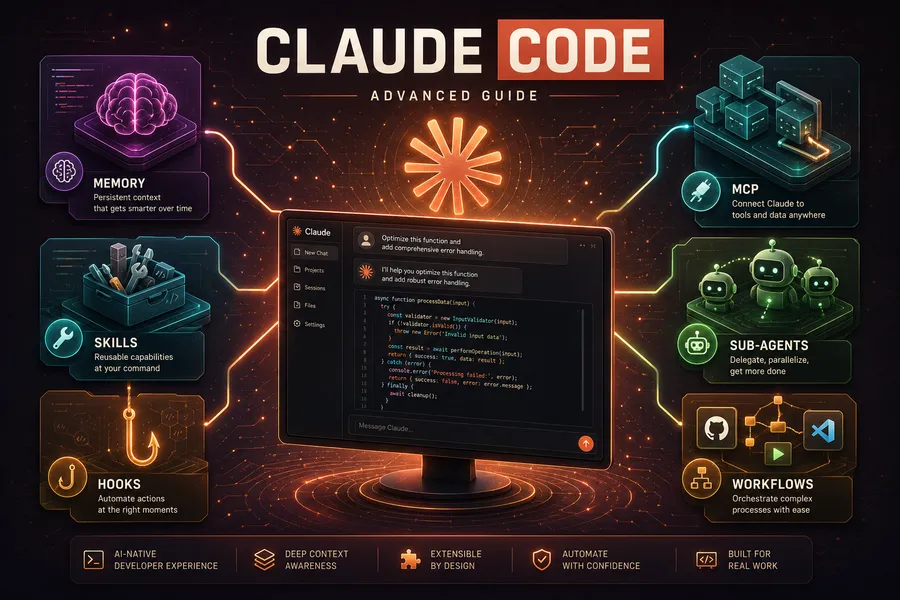
Getting More Out of Claude Code (4) — Workflows, Ultrareview, and Remote Agents
Introduction
In Part 3 we covered sub-agents and agent teams — “delegation that returns a result” and “a team that collaborates by debating,” the two multi-agent styles.
This final Part 4 covers the third paradigm and cloud automation that emerged afterward:
-
Part 1 — Memory + Skills + Hooks
-
Part 2 — Plugins + MCP + IDE integration
-
Part 3 — Sub-agents + Agent Teams
-
Part 4 — Workflows + Ultrareview + Remote Agents (this post)
-
Workflows (ultracode): Claude writes its own orchestration script to deterministically coordinate dozens-to-hundreds of agents
-
Ultrareview: a cloud multi-agent fleet reviews code and independently verifies findings
-
Remote/scheduled agents (Routines): run via cron or GitHub events even with your laptop closed
-
Fast Mode and models: pick speed, cost, and capability for the situation
Note: Many features here are research preview or consume paid credits as of June 2026. Availability and billing vary by plan and version, so confirm with
/helpand the official docs in your environment.
TL;DR
- Workflows write “orchestration as code.” Claude writes a JavaScript coordination script that the runtime executes, running dozens-to-hundreds of agents deterministically (loops, conditionals, fan-out). Suited to codebase-wide sweeps and large migrations.
- The three paradigms have different purposes. Delegation (sub-agents), collaboration (teams), deterministic coordination (workflows). The larger and more structured the task, the more workflows win.
- Ultrareview has agents verify the code. A cloud multi-agent fleet reviews and independently reproduces each finding to confirm it. 5-10 minutes, background, no local resources.
- Remote agents run with your laptop closed. They run in the cloud via schedule (cron), API, or GitHub events. Backlog grooming, PR auto-review, deploy verification — unattended.
- Speed and cost are choices. Fast Mode speeds up responses; model aliases tune capability and cost.
1. Workflows — Claude Codes Its Own Orchestration
Sub-agents delegate to one; agent teams have several debate. Workflows take a different approach. Claude writes a JavaScript orchestration script itself, and the runtime executes it, coordinating dozens-to-hundreds of agents. The key is that the coordination logic (loops, conditionals, fan-out, pipelines) lives in code rather than in the model’s improvisation.
1.1 The Third Paradigm
flowchart TB
    plan["Claude writes the<br/>orchestration script (JS)"]
    rt["Runtime executes the script"]
    subgraph fan["Parallel fan-out"]
      a1["Agent 1"]
      a2["Agent 2"]
      a3["Agent N"]
    end
    syn["Synthesize results"]

    plan --> rt --> fan --> syn
Comparing the three multi-agent styles:
| Style | Coordinator | Best for | Trait |
|---|---|---|---|
| Sub-agent | Main Claude delegates ad hoc | Focused work where you only need a result | Lightest |
| Agent team | Teammates self-coordinate | Work needing discussion/debate | Flexible but costly |
| Workflow | A pre-written script | Large, repetitive, well-structured work | Deterministic, reproducible |
Where workflows shine: codebase-wide bug sweeps, migrating hundreds of files, multi-dimension reviews — anything that “repeats the same procedure over many targets.”
1.2 ultracode — Workflows by Default
ultracode is a mode that makes Claude lean into workflows. Turn it on two ways:
- Keyword: include
ultracodein your prompt and Claude plans/runs a workflow for that task. - Persistent mode: set
/effort ultracodeand Claude considers a workflow first for every substantive request.
ultracode find every deprecated API call across this monorepo and replace it with the new APIIt spends more tokens but aims for a broad, thorough result in a single run. It’s overkill for small tasks, so keep it off normally.
1.3 Monitoring and Reuse
/workflows: watch a running workflow’s progress (agent tree, per-stage status) in real time.- Save: save a completed workflow as a custom command to reuse.
- Bundled workflows:
/deep-research(fan-out search across sources → cross-verify → cited report) is a flagship built-in workflow.
Note: Workflows are powerful but token-heavy. First ask “does this really need dozens of parallel agents?” For a single-file edit or a simple question, the main conversation is faster and cheaper.
2. Ultrareview — Cloud Multi-agent Code Review
The /code-review from Part 1 reviews the current diff locally. Ultrareview extends it to the cloud. A multi-agent fleet reviews code in a cloud sandbox and independently reproduces and verifies each finding, reporting only the trustworthy ones.
# Review the current branch with a cloud multi-agent fleet
/code-review ultra

# Review a GitHub PR
/code-review ultra 142
Highlights:
- Independent verification: rather than “looks like a bug,” it reproduces each finding to confirm it’s real. Fewer false positives.
- Background, cloud: takes 5-10 minutes and uses no local resources. Do other work meanwhile.
- CI integration: the
claude ultrareviewsubcommand runs non-interactively.
Billing & limits: Pro/Max subscribers get some free runs, after which each review consumes paid credits. It’s unsupported on some hosting like Bedrock/Vertex. It’s a user-triggered paid feature, so Claude won’t run it on its own.
This ties naturally back to Part 3’s theme. It completes the multi-agent verification loop: an agent fleet verifies the code that agents wrote.
3. Routines — Scheduled and Remote Agents
Everything so far required you at the terminal. Routines break that assumption. Save a Claude Code session configuration, and when a trigger fires it runs automatically on cloud infrastructure — even with your laptop closed.
Trigger types:
| Trigger | Behavior | Use for |
|---|---|---|
| Schedule (cron) | Run at a set time/interval | Morning backlog grooming, nightly dependency updates |
| API (HTTP POST) | An external system calls it | Trigger from internal tools/pipelines |
| GitHub event | React to PR open, etc. | PR auto-review, issue triage |
Create a routine interactively with /schedule:
/schedule every weekday at 9am, review open PRs and post a summary commentNote: Routines run on the Claude Code on the web infrastructure (Part 2, §3.3). Supported on Pro/Max/Team/Enterprise plans. Since it’s unattended automation, set the permission scope and target repos carefully.
4. Models and Speed — Fast Mode, the Model Lineup
4.1 Fast Mode
Fast Mode makes Claude Opus respond up to several times faster. Toggle it with /fast.
- Supported only on Opus (4.8/4.7/4.6); not Sonnet or Haiku
- Trades higher cost for lower latency
- Not supported in the VS Code extension
- Most cost-effective when enabled at session start
4.2 Model Lineup
Pick the model to fit the task. Specify by alias and it resolves to the latest version for your environment.
| Alias | Resolves to (June 2026) | Trait |
|---|---|---|
opus | Opus 4.8 | Top capability; supports highest effort (xhigh) and Fast Mode |
sonnet | Sonnet 4.6 | The balanced default for everyday coding |
haiku | Haiku 4.5 | Fast and cheap; simple tasks, sub-agent routing |
opus[1m] / sonnet[1m] | That model + 1M-token context | Very large codebases (Max/Team/Enterprise) |
opusplan | Opus for planning, Sonnet for execution | Hybrid auto-switch |
Summary: Haiku for exploration/cleanup, Sonnet for everyday work, Opus for hard design/refactoring. Route per task via a sub-agent’s
model:field (Part 3, §1.4) to optimize cost.
Wrapping Up the Series
Across four parts, we covered Claude Code’s advanced features in full:
| Part | Topic | Core |
|---|---|---|
| Part 1 | Memory + Skills + Hooks | Claude remembers you and automates repetitive work |
| Part 2 | Plugins + MCP + IDE | Connect external tools; use it in the editor and web |
| Part 3 | Sub-agents + Agent Teams | Delegate work, and collaborate by debating |
| Part 4 | Workflows + Ultrareview + Remote Agents | Deterministic coordination and cloud automation |
The key is distinguishing the three textures of multi-agent work — delegation (sub-agents), collaboration (agent teams), and deterministic coordination (workflows). Add cloud verification (Ultrareview) and unattended execution (Routines), and Claude Code moves beyond “a tool I command” toward a system that works on its own.
You don’t need all of it at once. Start with memory and skills, and add workflows and remote agents one at a time as they fit your flow.
Appendix
A. Glossary
| Term | Description |
|---|---|
| Workflow | A feature where Claude’s JS script deterministically coordinates many agents |
| ultracode | A keyword/mode that makes Claude lean into workflows |
| Ultrareview | Cloud multi-agent code review with independent verification (/code-review ultra) |
| Routines | Remote agents that run in the cloud via schedule/API/GitHub events |
| Fast Mode | A setting that speeds up Opus responses (/fast) |
| opusplan | A model alias: Opus for planning, Sonnet for execution |
B. Command cheat sheet
# Workflows
ultracode <request>     # Use a workflow for this task
/effort ultracode       # Prefer workflows for all substantive requests (persistent)
/workflows              # Monitor running workflows
/deep-research <topic>  # Bundled research workflow

# Cloud review
/code-review ultra      # Multi-agent review of the current branch
/code-review ultra <PR#> # Review a GitHub PR
claude ultrareview      # Non-interactive run for CI

# Remote & speed
/schedule               # Create a scheduled/remote agent (Routine)
/fast                   # Toggle Fast Mode (Opus only)