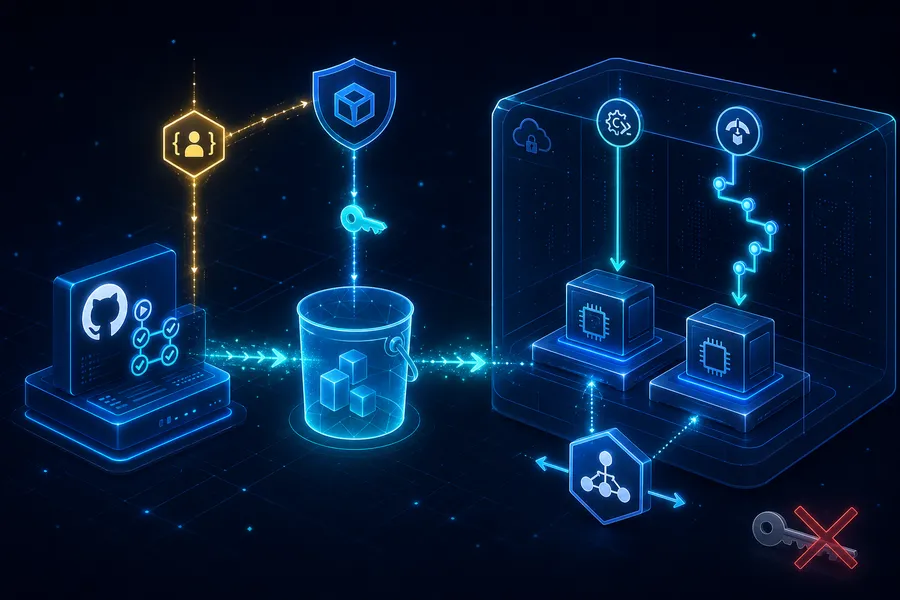
AWS Private EC2 Operations Guide Part 4: Deploying to Private EC2 from GitHub Actions — OIDC, SSM Run Command, CodeDeploy
Introduction
In Part 3 we closed port 22 forever. Operators get a shell via SSM. But deployment is a different problem. How does GitHub Actions propagate code to the EC2 on every push?
The traditional answers were two. One: store an AWS Access Key as a GitHub Secret and ssh/scp a jar to the EC2. Two: stand up Jenkins inside the EC2 and have it do the same. Both park long-lived credentials somewhere, which is why key leaks have been the most common pipeline-security failure.
This post drops both. OIDC federation removes the key from GitHub, and S3 + SSM/CodeDeploy removes the open port — a deployment pipeline that needs neither.
- Part 1 — Why Private Subnet?
- Part 2 — Building VPC infrastructure with Terraform
- Part 3 — Connecting without Bastion via SSM Session Manager
- Part 4 — CI/CD pipeline with GitHub Actions + SSM/CodeDeploy (this post)
- Part 5 — Cost analysis and optimization strategies
This post targets juniors who have run GitHub Actions but get stuck on AWS credential handling. After reading you should know “why OIDC is the right answer” and “is SSM Run Command enough for me, or do I need CodeDeploy?”
TL;DR
- OpenID Connect federation is the de facto standard. GitHub Actions mints a fresh OpenID Connect token per run, hands it to AWS, and AWS returns short-lived temporary credentials — no AWS keys live in GitHub Secrets.
- S3 is the artifact hub. GitHub Actions uploads jars/zips to S3; EC2 pulls them with an IAM Role. SSH and scp never appear.
- Systems Manager Run Command is the right answer for simple deploys.
aws ssm send-commandpushes a shell script to the instance — the agent picks it up over the existing poll channel, so inbound ports remain at zero. - CodeDeploy is the right answer when you need zero-downtime, rollback, or hooks. Define stages (Stop → Install → Start → Validate) in
appspec.ymland roll out In-Place or Blue/Green. - One-line decision rule: a single jar on 1–2 boxes? Systems Manager. ALB drain, health-checked rollback, no user-visible 503s? CodeDeploy.
1. The Deployment Model — Getting Code Into a Private EC2
1.1 The four-step skeleton
Every variant of this pipeline has the same backbone.
flowchart LR
    GH[GitHub Actions<br/>main push]
    Build[Build: jar/zip]
    S3[(S3 artifact hub)]
    Trigger{Trigger}
    SSM[SSM Run Command]
    CD[CodeDeploy]
    EC2[Private EC2<br/>2AZ]

    GH --> Build --> S3
    GH --> Trigger
    Trigger -->|simple| SSM
    Trigger -->|zero-downtime| CD
    SSM --> EC2
    CD --> EC2
S3 -. pull .-> EC2- Build: produce a jar/zip in GitHub Actions.
- Upload: push the artifact to S3 (key by SHA).
- Trigger: GitHub Actions calls SSM Run Command or CodeDeploy.
- Apply: EC2 fetches the artifact from S3 and swaps the running service.
1.2 Two branches
The split is in step three. SSM Run Command is the simplest path — it pushes a shell script to the instance and runs it. CodeDeploy adds operational features (rolling, rollback, hooks). §4–§5 cover them; §6 is the decision matrix.
2. OIDC Federation — Don’t Put Long-Lived Keys in GitHub
2.1 What was wrong before
Calling AWS from GitHub Actions traditionally meant creating an IAM user, issuing Access Key/Secret Key, and storing both as GitHub Secrets. Problems with that:
- Keys are permanent. Without rotation they live forever — a leak means unbounded use.
- Scope tends to widen. One key feeding multiple workflows drifts toward AdminAccess.
- Audit is shallow. CloudTrail records the IAM user but not “which workflow run on which commit called this.”
2.2 How OIDC reframes it
OIDC (OpenID Connect) mints a short-lived token per workflow run, hands it to AWS, and AWS returns STS credentials.
sequenceDiagram
    participant GH as GitHub Actions Runner
    participant OP as token.actions.<br/>githubusercontent.com
    participant STS as AWS STS
    GH->>OP: 1. Request OIDC token (workflow metadata)
    OP-->>GH: 2. JWT (sub, repo, ref claims)
    GH->>STS: 3. AssumeRoleWithWebIdentity(JWT)
    STS-->>GH: 4. Temporary credentials (1 hour)
GH->>STS: 5. AWS API calls (S3, SSM, CodeDeploy)- The token is minted once per run and expires within minutes to an hour.
- Claims include
repo:my-org/my-repo:ref:refs/heads/main, so the IAM trust policy can narrow access to a specific repo and branch. - CloudTrail records the OIDC
subclaim, so you know which workflow run made the call.
Going deeper: A separate post unpacks STS internals, the federation skeleton, and how SAML / IAM Identity Center / EKS IRSA are variants of the same pattern — Understanding AWS Credential Federation. Pair it with this section if you want to step beyond the recipe and build the foundation.
2.3 Register the OIDC Provider in IAM
Register GitHub’s OIDC issuer (token.actions.githubusercontent.com) in IAM once. With Terraform:
resource "aws_iam_openid_connect_provider" "github" {
  url             = "https://token.actions.githubusercontent.com"
  client_id_list  = ["sts.amazonaws.com"]
  thumbprint_list = ["6938fd4d98bab03faadb97b34396831e3780aea1"]
}
thumbprint_list is GitHub’s certificate fingerprint. AWS now validates it automatically; just keep the slot filled and follow the latest AWS docs for the canonical value.
2.4 The IAM Role GitHub Actions assumes
Create a role that accepts OIDC tokens. The trust policy’s heart is the sub condition — it scopes which repo and branch may assume the role.
resource "aws_iam_role" "github_actions_deploy" {
  name = "GitHubActionsDeploy"

  assume_role_policy = jsonencode({
    Version = "2012-10-17"
    Statement = [{
      Effect    = "Allow"
      Principal = { Federated = aws_iam_openid_connect_provider.github.arn }
      Action    = "sts:AssumeRoleWithWebIdentity"
      Condition = {
        StringEquals = {
          "token.actions.githubusercontent.com:aud" = "sts.amazonaws.com"
        }
        StringLike = {
          "token.actions.githubusercontent.com:sub" = "repo:my-org/my-repo:ref:refs/heads/main"
        }
      }
    }]
  })
}

resource "aws_iam_role_policy" "github_actions_deploy" {
  role = aws_iam_role.github_actions_deploy.id
  policy = jsonencode({
    Version = "2012-10-17"
    Statement = [
      {
        Effect   = "Allow"
        Action   = ["s3:PutObject", "s3:GetObject"]
        Resource = "${aws_s3_bucket.artifacts.arn}/*"
      },
      {
        Effect   = "Allow"
        Action   = ["ssm:SendCommand", "ssm:GetCommandInvocation", "ssm:DescribeInstanceInformation"]
        Resource = "*"
      },
      {
        Effect   = "Allow"
        Action   = ["codedeploy:CreateDeployment", "codedeploy:GetDeployment", "codedeploy:GetDeploymentConfig"]
        Resource = "*"
      }
    ]
  })
}
Without a sub condition, any GitHub repo trusting the same OIDC provider could steal this role — missing sub is the most common OIDC accident.
2.5 Assuming the Role from GitHub Actions
The workflow YAML hinges on two things — id-token: write permission and the aws-actions/configure-aws-credentials action.
permissions:
  id-token: write   # required to mint OIDC tokens
  contents: read

jobs:
  deploy:
    runs-on: ubuntu-latest
    steps:
      - uses: actions/checkout@v4
      - uses: aws-actions/configure-aws-credentials@v4
        with:
          role-to-assume: arn:aws:iam::123456789012:role/GitHubActionsDeploy
          aws-region: ap-northeast-2
      - run: aws sts get-caller-identity
If get-caller-identity prints the temporary credential ARN, the OIDC flow is wired up correctly.
Note: Migrating legacy workflows from “AWS keys in secrets” to OIDC is the 2026 standard. Both AWS security guidance and GitHub Actions docs recommend OIDC.
3. The Artifact Hub — S3
3.1 Why S3
You need a middle store between GitHub Actions and Private EC2. EC2 doesn’t reach GitHub directly (auth and trust boundary), and the GitHub Actions runner doesn’t reach the Private EC2 (no inbound). S3:
- Reaches both — IAM permissions only; both sides see the same bucket.
- Versions easily — keys like
app/${SHA}.jarmake every build immortal. - Trivial rollback — re-trigger with the previous SHA.
3.2 Granting EC2 read access
Add S3 GetObject to the private-ec2-ssm-role from Part 3.
resource "aws_s3_bucket" "artifacts" {
  bucket = "my-private-ec2-artifacts"
}

resource "aws_iam_role_policy" "ec2_artifacts_read" {
  role = aws_iam_role.ec2_ssm.id
  policy = jsonencode({
    Version = "2012-10-17"
    Statement = [{
      Effect   = "Allow"
      Action   = ["s3:GetObject"]
      Resource = "${aws_s3_bucket.artifacts.arn}/*"
    }]
  })
}
EC2 reaches S3 over NAT, so no extra networking is needed (for fully air-gapped setups, add an S3 Gateway VPC Endpoint).
Note: S3 Gateway Endpoint costs $0/hour. If NAT data-processing fees bite, adding it is a win on both cost and security.
4. Path A — SSM Run Command
4.1 Why SSM Run Command
If Part 3’s Session Manager was the interactive shell, Run Command is the non-interactive sibling. The same SSM Agent picks up commands over the same poll channel — meaning zero new infrastructure (Agent + IAM Role + network path are already there).
flowchart LR
    GHA[GitHub Actions] -->|SendCommand| SSM[SSM API]
    SSM -. existing poll channel .- Agent[SSM Agent<br/>EC2]
    Agent --> Script[Run shell script]
    Script -->|S3 GetObject| S3[(S3 artifact)]
    Script --> Service[systemctl restart app]
4.2 The GitHub Actions workflow
name: Deploy via SSM
on:
  push:
    branches: [main]

permissions:
  id-token: write
  contents: read

jobs:
  deploy:
    runs-on: ubuntu-latest
    steps:
      - uses: actions/checkout@v4
      - uses: actions/setup-java@v4
        with:
          java-version: '21'
          distribution: 'temurin'
      - run: ./gradlew bootJar

      - uses: aws-actions/configure-aws-credentials@v4
        with:
          role-to-assume: arn:aws:iam::123456789012:role/GitHubActionsDeploy
          aws-region: ap-northeast-2

      - name: Upload artifact
        run: |
          aws s3 cp build/libs/app.jar \
            s3://my-private-ec2-artifacts/app/${{ github.sha }}.jar

      - name: Send deploy command
        id: deploy
        run: |
          CMD_ID=$(aws ssm send-command \
            --document-name AWS-RunShellScript \
            --targets "Key=tag:App,Values=myapp" "Key=tag:Env,Values=prod" \
            --parameters commands='[
              "set -e",
              "aws s3 cp s3://my-private-ec2-artifacts/app/${{ github.sha }}.jar /opt/app/app.jar.new",
              "mv /opt/app/app.jar.new /opt/app/app.jar",
              "systemctl restart app",
              "sleep 5",
              "curl -fsS http://localhost:8080/health"
            ]' \
            --comment "Deploy ${{ github.sha }}" \
            --query "Command.CommandId" --output text)
          echo "command_id=$CMD_ID" >> "$GITHUB_OUTPUT"

      - name: Wait for completion
        run: |
          for INSTANCE in $(aws ec2 describe-instances \
              --filters "Name=tag:App,Values=myapp" "Name=tag:Env,Values=prod" \
              --query "Reservations[].Instances[].InstanceId" --output text); do
            aws ssm wait command-executed \
              --command-id "${{ steps.deploy.outputs.command_id }}" \
              --instance-id "$INSTANCE"
          done
Key patterns:
- Targets are tags. Tag instances
App=myappandEnv=prodand Auto Scaling additions are picked up automatically. set -eaborts on the first failure — no partial-apply state.- The trailing
curlis the health check. A non-200 marks SSM failure → red CI.
4.3 Instance-side prerequisites
/opt/app and the app.service systemd unit go in via user_data or a golden AMI.
[Unit]
Description=My App
After=network.target

[Service]
ExecStart=/usr/bin/java -jar /opt/app/app.jar
Restart=on-failure
User=app

[Install]
WantedBy=multi-user.targetNote: SSM Run Command’s stdout/stderr returns only the first slice by default. Pass
--output-s3-bucket-nameto ship long output to S3 or CloudWatch Logs automatically.
5. Path B — CodeDeploy
5.1 Why learn CodeDeploy on top
SSM Run Command works well. You still learn CodeDeploy because:
- Zero-downtime deploys — In-Place rolling and Blue/Green out of the box. Traffic shifts in stages.
- Explicit hook stages —
ApplicationStop → BeforeInstall → AfterInstall → ApplicationStart → ValidateServiceare standardized. - Automatic rollback —
ValidateServicefailure → previous version returns automatically. - ALB integration — instances are pulled from the Target Group during deploy and re-added after. Users never see 503.
Once scale and SLA grow, Run Command is no longer enough. CodeDeploy is the tool for that level.
5.2 The four resources you need
| Resource | Role |
|---|---|
| CodeDeploy Agent | Daemon on the EC2. Installed via user_data or SSM Run Command |
| CodeDeploy Service Role | Permission for CodeDeploy to manipulate EC2/ALB/ASG |
| CodeDeploy Application | The deployment unit (app name) — a container |
| Deployment Group | Which instances (by tag) and which strategy (In-Place/Blue-Green) |
5.3 Add agent install to user_data
Append to the Part 3 EC2 user_data:
#!/bin/bash
dnf install -y ruby wget nginx
cd /tmp
wget https://aws-codedeploy-ap-northeast-2.s3.amazonaws.com/latest/install
chmod +x ./install
./install auto
systemctl enable --now codedeploy-agent
For already-running instances, run the same script via SSM Run Command — the Part 4 tool bootstraps itself.
5.4 Terraform — Application and Deployment Group
resource "aws_iam_role" "codedeploy" {
  name = "CodeDeployServiceRole"
  assume_role_policy = jsonencode({
    Version = "2012-10-17"
    Statement = [{
      Effect    = "Allow"
      Principal = { Service = "codedeploy.amazonaws.com" }
      Action    = "sts:AssumeRole"
    }]
  })
}

resource "aws_iam_role_policy_attachment" "codedeploy" {
  role       = aws_iam_role.codedeploy.name
  policy_arn = "arn:aws:iam::aws:policy/service-role/AWSCodeDeployRole"
}

resource "aws_codedeploy_app" "app" {
  name             = "myapp"
  compute_platform = "Server"
}

resource "aws_codedeploy_deployment_group" "prod" {
  app_name              = aws_codedeploy_app.app.name
  deployment_group_name = "myapp-prod"
  service_role_arn      = aws_iam_role.codedeploy.arn

  ec2_tag_set {
    ec2_tag_filter {
      key   = "App"
      type  = "KEY_AND_VALUE"
      value = "myapp"
    }
    ec2_tag_filter {
      key   = "Env"
      type  = "KEY_AND_VALUE"
      value = "prod"
    }
  }

  load_balancer_info {
    target_group_info {
      name = aws_lb_target_group.app.name
    }
  }

  deployment_style {
    deployment_option = "WITH_TRAFFIC_CONTROL"
    deployment_type   = "IN_PLACE"
  }

  auto_rollback_configuration {
    enabled = true
    events  = ["DEPLOYMENT_FAILURE"]
  }
}
WITH_TRAFFIC_CONTROL is the magic — instances under deploy are auto-removed from the Target Group, then re-added after the new jar passes health checks.
5.5 appspec.yml and hook scripts
At the repo root, appspec.yml:
version: 0.0
os: linux
files:
  - source: app.jar
    destination: /opt/app
hooks:
  ApplicationStop:
    - location: scripts/stop.sh
      timeout: 30
  BeforeInstall:
    - location: scripts/before_install.sh
      timeout: 30
  ApplicationStart:
    - location: scripts/start.sh
      timeout: 60
  ValidateService:
    - location: scripts/validate.sh
timeout: 60scripts/start.sh:
#!/bin/bash
systemctl restart appscripts/validate.sh:
#!/bin/bash
for i in $(seq 1 10); do
  if curl -fsS http://localhost:8080/health; then
    exit 0
  fi
  sleep 3
done
exit 1
If validate.sh fails, auto_rollback_configuration reinstates the previous version automatically.
5.6 The GitHub Actions workflow
      - name: Package for CodeDeploy
        run: |
          mkdir -p deploy/scripts
          cp build/libs/app.jar deploy/
          cp appspec.yml deploy/
          cp scripts/*.sh deploy/scripts/
          chmod +x deploy/scripts/*.sh
          cd deploy && zip -r ../app.zip .

      - name: Upload bundle
        run: |
          aws s3 cp app.zip \
            s3://my-private-ec2-artifacts/app/${{ github.sha }}.zip

      - name: Trigger CodeDeploy
        id: deploy
        run: |
          DEPLOY_ID=$(aws deploy create-deployment \
            --application-name myapp \
            --deployment-group-name myapp-prod \
            --s3-location bucket=my-private-ec2-artifacts,key=app/${{ github.sha }}.zip,bundleType=zip \
            --description "Deploy ${{ github.sha }}" \
            --query "deploymentId" --output text)
          echo "deployment_id=$DEPLOY_ID" >> "$GITHUB_OUTPUT"

      - name: Wait for completion
        run: |
          aws deploy wait deployment-successful \
            --deployment-id "${{ steps.deploy.outputs.deployment_id }}"
If wait deployment-successful exits non-zero (rollback included) the workflow goes red. Operators inspect the CodeDeploy console to see exactly which stage failed and why.
5.7 Aside: when do you need Blue/Green?
In-Place deploys on the same instances (brief 503 possible). Blue/Green spins up a new fleet and shifts traffic — zero user-visible downtime, but cost is temporarily doubled. Most backends are fine with In-Place + ALB integration; reserve Blue/Green for payment, real-time, or genuine zero-downtime requirements.
6. How to Choose — SSM vs CodeDeploy
| Criterion | SSM Run Command | CodeDeploy |
|---|---|---|
| Learning curve | One page of shell | appspec + 5 hooks + 4 resources |
| Extra infra | None (Part 3 covers it) | Agent + Service Role + App + Deployment Group |
| Stage definition | Inline shell | Standard hooks in appspec.yml |
| Zero-downtime | DIY | In-Place + ALB drain, automatic |
| Rollback | DIY | One line via auto_rollback |
| Observability | stdout in SSM console | Stage-by-stage in CodeDeploy console |
| ALB health-check integration | Manual | Automatic |
6.1 A short decision guide
flowchart TB
    Q1{1 or 2 instances?}
    Q2{ALB drain / rollback / 5-min downtime?}
    SSM[SSM Run Command]
    CD[CodeDeploy]
    Q1 -->|yes| SSM
    Q1 -->|no| Q2
    Q2 -->|all OK| SSM
Q2 -->|not OK| CD- Learning, side-projects, internal tools → SSM. A well-written shell script is enough.
- Real user traffic + ALB → CodeDeploy. drain, rollback, hooks pay for the complexity.
- SLA 99.9%+, zero-downtime requirement → CodeDeploy + Blue/Green.
This series ends at Part 5, and Part 4 covers both because juniors should be able to move between the two on demand. Stand it up with SSM first; once traffic appears, swing the same S3 artifacts onto CodeDeploy.
7. Observability and Deployment Guards
7.1 Where to look when it fails
| Stage | First check | Then |
|---|---|---|
| Red CI in GitHub Actions | Step log in the Actions tab | If OIDC step, verify the IAM trust sub |
aws s3 cp failure | GitHubActionsDeploy role’s S3 permissions | Bucket policy, KMS |
send-command failure | Run Command console → command ID | Confirm instance is SSM Online (Part 3 §5.1) |
| CodeDeploy stage failure | Console → Deployments → failing stage | EC2’s /var/log/aws/codedeploy-agent/codedeploy-agent.log |
| Health-check failure | validate.sh or curl output | The app’s own logs |
The point is that each stage has a different first-look location. Jumping straight to the workflow YAML when CI is red sends you down the wrong path more often than not.
7.2 Four guards that prevent accidents
- Branch protection — no direct push to
main; PR + review + green CI required. - Environment + Required Reviewer — the
prodEnvironment requires manual approval. The workflow pauses just before the prod step. - OIDC
subcondition — onlyrefs/heads/mainmay assume the role, so PR builds can’t hijack prod. - Deployment notifications — push start/success/failure to Slack/Teams. Failures must be noticed by humans.
7.3 Aside: phased deploys (staging → prod)
Deploy to Env=staging first; advance to Env=prod only after the staging health check passes. Express it with needs: and environments: in GitHub Actions, or with two Deployment Groups in CodeDeploy.
Recap
What to take away:
- OIDC is the right answer. Remove AWS Access Keys from GitHub Secrets forever and run on per-workflow temporary credentials — including narrowing repo and branch with
sub. - S3 is the artifact hub. Both GitHub Actions and EC2 use the same bucket via IAM. SSH and scp do not appear.
- SSM Run Command is right for simple deploys. It reuses Part 3’s SSM Agent, so extra infra is zero. Shell-script the stop → fetch → start → health-check.
- CodeDeploy is right for zero-downtime, rollback, and hooks.
appspec.ymlstandardizes five stages and integrates with ALB Target Groups so users never see 503. - The choice follows scale and SLA. 1–2 boxes / internal tools → SSM. Traffic + health checks + rollback → CodeDeploy. Zero-downtime requirement → Blue/Green.
- Guards = OIDC
sub+ Environment approvals + branch protection + alerts. Get all four locks in place before automation gathers speed.
The single goal of Part 4 was this — a pipeline where neither port 22 nor a static AWS key is anywhere on the path, yet a GitHub push lands in production EC2. Combined with Parts 1–3, the infrastructure plus auto-deploy is now complete.
In Part 5 we break down the cost structure of everything Parts 1–4 produced. What does NAT Gateway / ALB / EC2 / CodeDeploy each cost per month? Where can you cut? And how do side-project and production budgets actually compare?
Appendix
A. Quick pipeline diagnostics
# OIDC flow check (run inside the workflow)
aws sts get-caller-identity
# If the ARN is a temporary credential, OIDC is good

# SSM instance registration
aws ssm describe-instance-information \
  --filters "Key=tag:App,Values=myapp" \
  --query "InstanceInformationList[].[InstanceId,PingStatus]" \
  --output table

# Last CodeDeploy deployment
aws deploy list-deployments \
  --application-name myapp \
  --deployment-group-name myapp-prod \
  --query "deployments[0]"

# Last Run Command output
aws ssm list-command-invocations \
  --details \
  --query "CommandInvocations[0].CommandPlugins[].Output"
B. Tightening the GitHubActionsDeploy IAM policy
§2.4 keeps the policy broad for clarity. In production tighten at least these two:
s3:PutObject→Resource = "arn:aws:s3:::my-private-ec2-artifacts/app/*"to limit by prefix.ssm:SendCommand→ instance ARNs inResourceplusCondition: ssm:resourceTag/Env: prodso only prod is targetable.
C. With Auto Scaling
When ASG scales in and out, new instances must pull the latest version on boot.
- SSM Run Command path: bake “fetch latest jar from S3” into the ASG user_data.
- CodeDeploy path: register the ASG with the Deployment Group; new instances automatically pull the artifact from the most recent successful deployment.
The ASG integration is one more reason CodeDeploy wins as scale grows.